
Frequently Asked Questions
Quick answers about SRS Writer
Installation & cost
Do I pay for SRS Writer?
- The extension is free and open source (Apache-2.0). Any future paid plans will be announced in advance.
- You need a GitHub Copilot subscription for AI (VS Code’s LM API is tied to Copilot).
Why Copilot only?
- SRS Writer calls models via VS Code’s built-in LM API, which requires Copilot.
- Benefit: no separate OpenAI/Anthropic keys or extra billing to manage.
Can I use it offline?
- AI-powered actions require internet access.
- Offline you can read/edit files manually, but SRS Writer chat/tools won’t run.
What versions/dependencies are required?
- VS Code 1.102.0+.
- Git installed (for repo/branch setup).
- Keep GitHub Copilot signed in.
Usage & project management
How do I know which project is active?
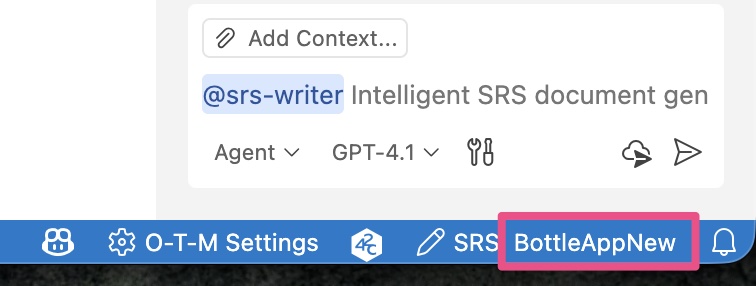
- Check the status bar:
SRS: <project>. - Or open SRS Writer: Control Panel; the current project is shown there.
Can I edit files manually?
- Yes—
SRS.md/requirements.yamlare plain text. - After manual edits, run Sync Status Check in the Control Panel and, if needed, Force Sync Context to align memory/session with files.
Non-software projects?
- Possible; adjust
.templates/to fit your domain/structure.
How do I share the SRS?
- Share
SRS.mddirectly (Markdown renders in VS Code/GitHub). - Export to PDF using any Markdown→PDF tool if needed.
- No built-in publish command; use your repo or documentation platform.
Collaboration & multi-project
Recommended team workflow?
- Use Git. Default working branch is
wip; merge stable versions tomainas needed. - Each project has its own folder; switch via the Control Panel.
- Example flow:
git pullto get latest- Control Panel → switch to project
- Work via chat/manual edits
git add . && git commit ...(onwip)- Push and merge to
mainwhen ready
Can I handle multiple projects?
- Yes. Each project has its own folder/session; switching clears chat context and enforces the
wipbranch. - Avoid manual folder renames—use Control Panel → Project Management → Rename Project.