
How to Talk to SRS Writer
What you'll learn: Proven techniques to get better requirements through conversation
Overview
SRS Writer understands natural language, but knowing how to talk to it makes a huge difference in the quality of output. This guide shares practical tips from real users.
✅ Good Conversation Patterns
Pattern 1: Start with Context
Why it works: Context helps SRS Writer understand your domain, scale, and constraints.
Template:
Plain Text@srs-writer I need [type of system] for [who will use it]. [What they need to do]. [Any constraints or special requirements].
Examples:
Good ✅:
Plain Text@srs-writer I need a task management system for a software team of 20 people. They need to create tasks, assign them to team members, set priorities and due dates, track progress, and receive notifications. We're using JIRA now but it's too complex.
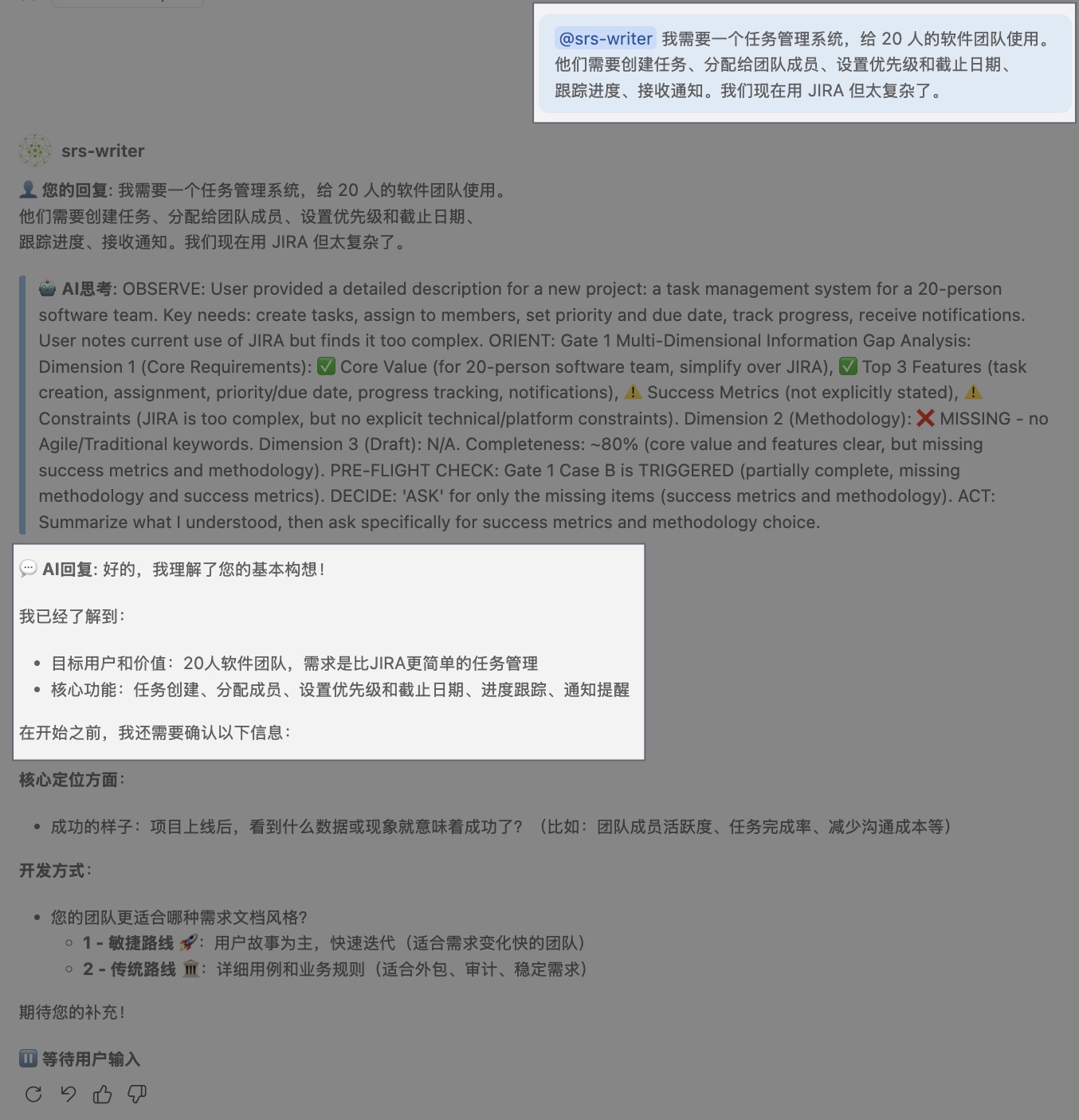
Why it works:
- Specifies who (software team, 20 people)
- Lists core needs (create, assign, track, notify)
- Mentions context (migrating from JIRA)
- Implies simplicity is important
Good ✅:
Plain Text@srs-writer I need an expense reporting system for a 200-person company. Employees submit expense claims with receipts. Finance team reviews and approves. CFO needs monthly reports. We process about 500 claims per month.
Why it works:
- Clear user roles (employees, finance, CFO)
- Workflow defined (submit → review → report)
- Scale indicated (200 people, 500 claims/month)
Too vague ❌:
Plain Text@srs-writer Build a task management app
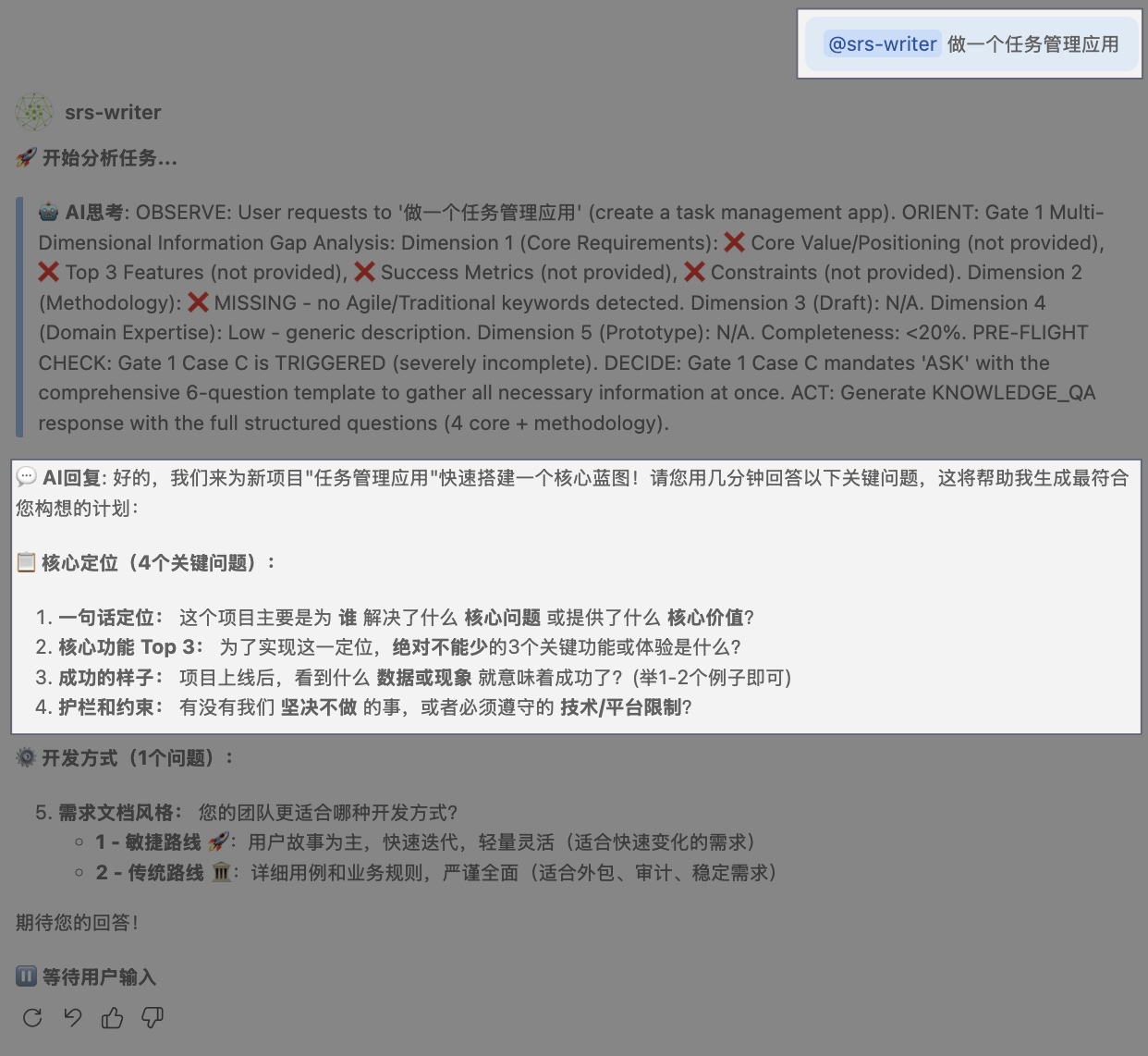
Problem: No context about users, scale, or needs. SRS Writer has to guess.
Pattern 2: Describe User Journeys
Why it works: Stories help SRS Writer infer implicit requirements.
Template:
Plain Text@srs-writer Here's how users will use the system: 1. [User] does [action] by [method] 2. [System] then [response] 3. [User] can also [optional action]
Example:
Plain Text@srs-writer Here's how the login process should work: 1. User enters email and password on the login page 2. System verifies credentials and checks if account is active 3. If correct, user is redirected to the dashboard 4. If wrong password 3 times, account is locked for 15 minutes 5. User can click "Forgot password" to receive a reset email
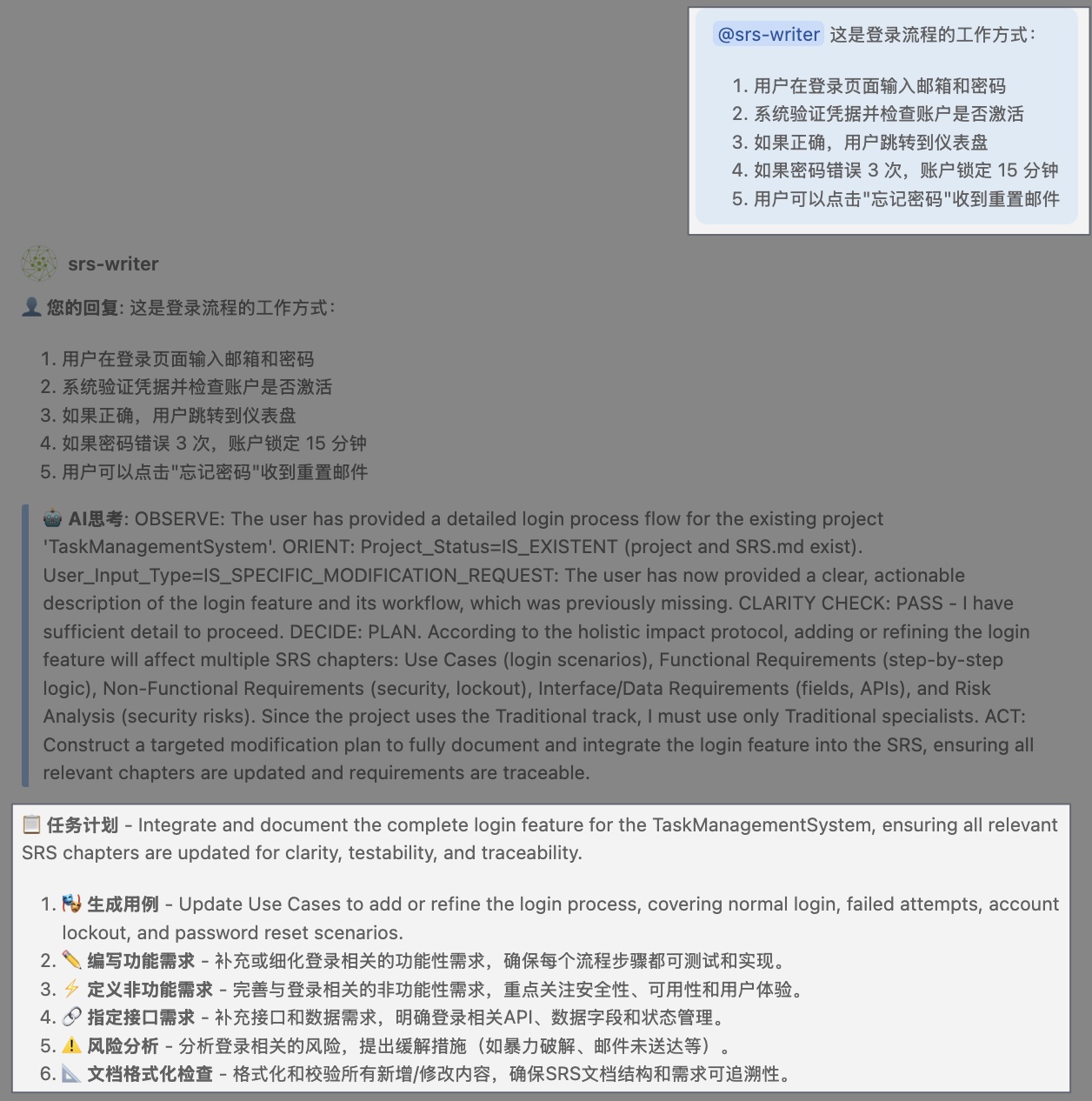
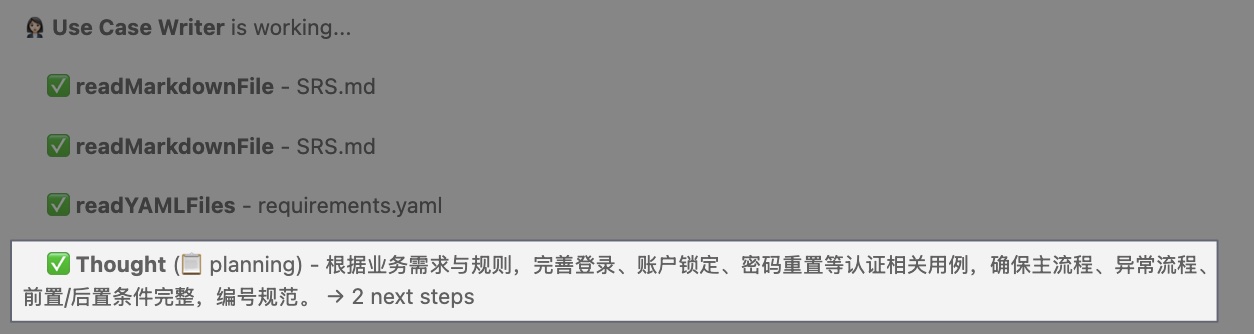
What SRS Writer infers:
- Security requirement: account lockout after failed attempts
- User experience: password reset flow needed
- System behavior: active/inactive account states
- Error handling: multiple failure scenarios
Pattern 3: Use Real Examples
Why it works: Concrete examples clarify abstract requirements.
Template:
Plain Text@srs-writer For example, [specific scenario with actual values]
Example:
Plain Text@srs-writer The system needs to handle batch imports. For example: - Finance team uploads a CSV with 500 transactions every Friday - Each row has: date, vendor, amount, category, receipt URL - System validates all rows first, then imports if no errors - If any row is invalid, highlight the errors and reject the entire batch
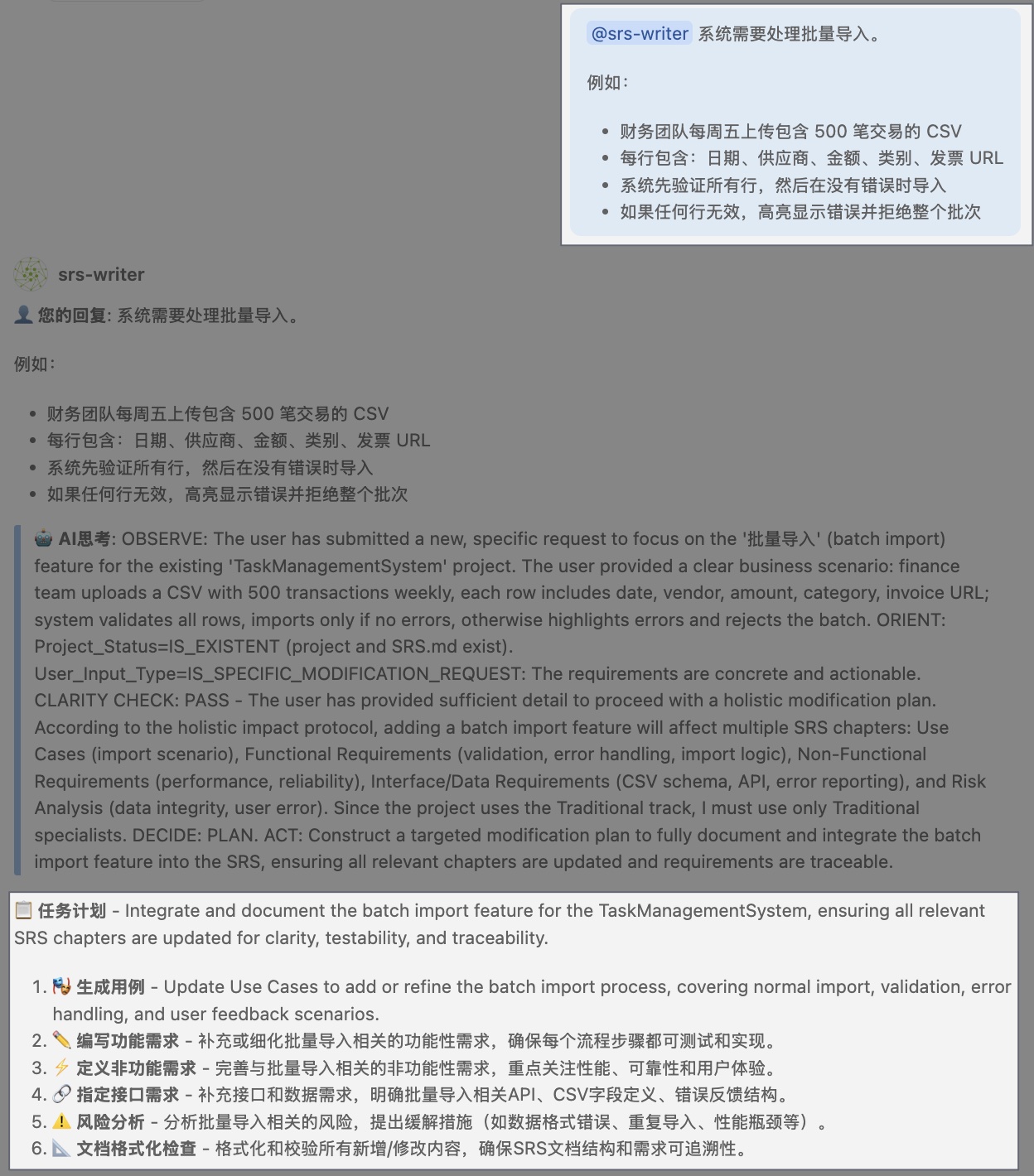
What this clarifies:
- Import format (CSV)
- Data structure (specific fields)
- Validation approach (all-or-nothing transaction)
- Error handling (highlight errors, don't partial import)
Pattern 4: Mention Your Audience
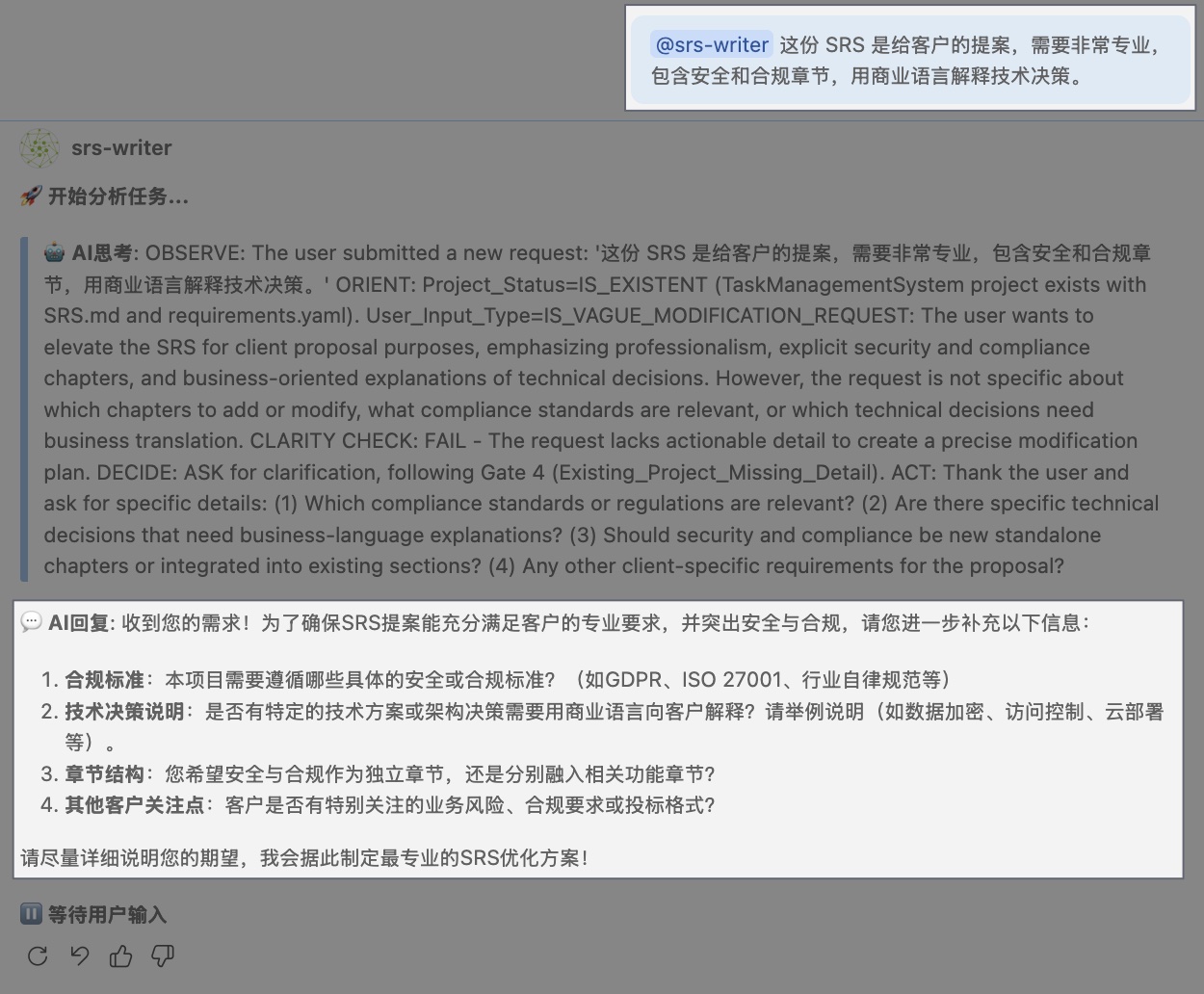
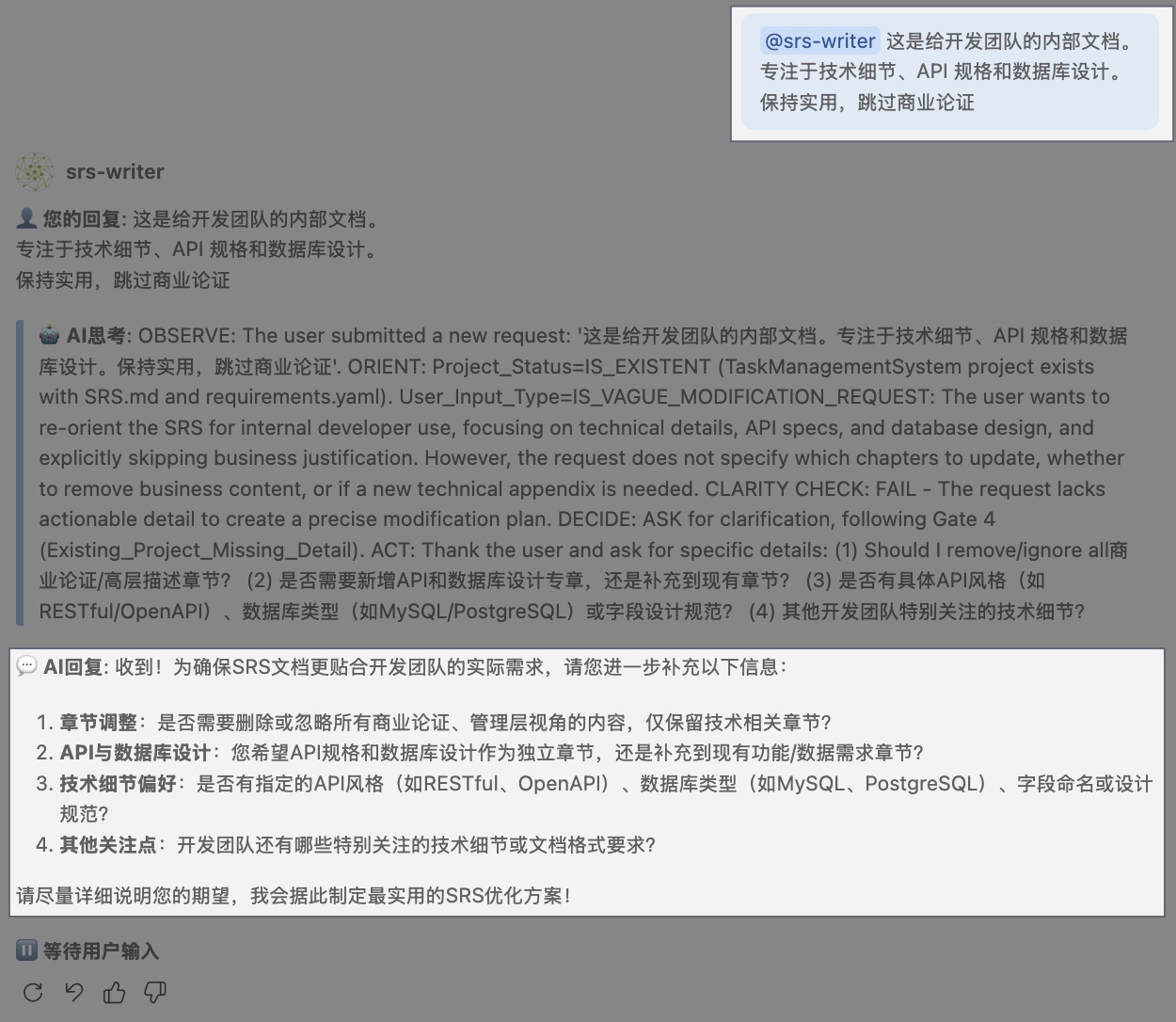
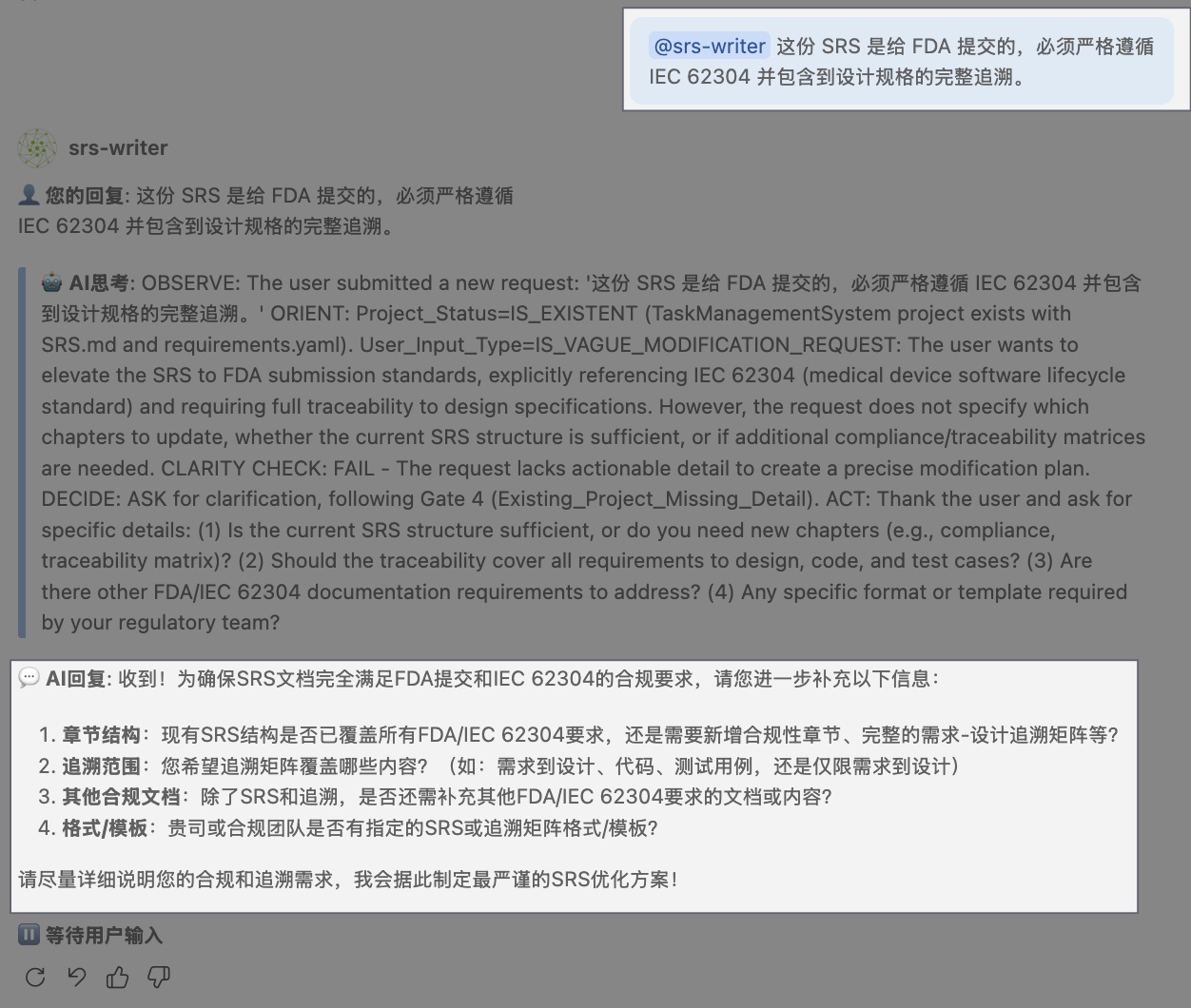
Why it works: SRS Writer adjusts tone and detail level.
For client proposals:
Plain Text@srs-writer This SRS is for a client proposal, so it needs to be very professional, include security and compliance sections, and explain technical decisions in business terms.
For internal dev team:
Plain Text@srs-writer This is internal documentation for our dev team. Focus on technical details, API specifications, and database schema. Keep it practical and skip the business justification.
For regulatory submission:
Plain Text@srs-writer This SRS is for FDA submission, so it must strictly follow IEC 62304 and include complete traceability to design specifications.
Pattern 5: Iterate in Steps
Why it works: Breaking complex requirements into smaller conversations produces better results.
Multi-turn conversation:
Turn 1:
Plain Text@srs-writer I need an e-commerce platform for selling handmade crafts. Start with user registration and authentication.
Turn 2 (after reviewing output):
Plain Text@srs-writer Good! Now add product catalog features: - Sellers can list products with photos, description, price - Buyers can browse, search, filter by category - Shopping cart and checkout
Turn 3:
Plain Text@srs-writer Add payment processing with Stripe integration and email notifications for order confirmation.
Why this works better than one huge prompt:
- You can review and adjust after each step
- SRS Writer builds context incrementally
- Easier to spot and fix mistakes early
❌ Patterns to Avoid
Anti-Pattern 1: Too Technical
Bad ❌:
Plain Text@srs-writer Build a React SPA with Node.js backend, Express, PostgreSQL, Redis for caching, Docker containers, deployed on AWS ECS with CloudFront CDN. Use JWT for auth, bcrypt for passwords, and implement rate limiting with Redis.
Problem: These are implementation details, not requirements.
Better ✅:
Plain Text@srs-writer Build a web application that needs to: - Support 1,000 concurrent users - Respond to user actions within 200ms - Store user data securely - Be accessible from anywhere with internet - Handle 10,000 API requests per hour
💡 Rule: Describe what the system does (requirements), not how it's built (implementation).
Anti-Pattern 2: Too Brief
Bad ❌:
Plain Text@srs-writer Make a CRM system
Problem: CRM can mean many things. No context provided.
Better ✅:
Plain Text@srs-writer Make a CRM system for a small sales team (5 people). They need to track leads, schedule follow-ups, log calls and emails, and see a pipeline dashboard showing deal stages and values.
Anti-Pattern 3: Too Long
Bad ❌:
Plain Text@srs-writer [Pastes 10 pages of meeting notes, PRDs, and brainstorming docs] Generate complete requirements
Problem: Too much information at once can confuse priorities.
Better ✅:
Plain Text@srs-writer I have meeting notes from our kickoff. Let me share the key points: Goals: - [3-4 main goals] Core Features: - [5-7 must-have features] Constraints: - [2-3 major constraints] Can you generate an SRS based on this? I'll provide more details in follow-up.
Then provide additional context in subsequent messages.
Anti-Pattern 4: Mixing Requirements with Implementation
Bad ❌:
Plain Text@srs-writer Users need to log in. Use OAuth with Google and Facebook. Store sessions in Redis with 24-hour expiration. Use JWT tokens.
Better ✅:
Plain Text@srs-writer Users need to log in using their Google or Facebook accounts. Sessions should stay active for 24 hours after last activity.
Let SRS Writer handle implementation details in the "System Design" section, while you focus on requirements.
🎯 The Conversation Flow
Here's how a typical conversation evolves:
Plain Text┌─────────────────────────────────────────────────────┐ │ You: Initial project description │ │ │ │ "I need [system] for [users] to [goals]" │ └──────────────────┬──────────────────────────────────┘ ↓ ┌─────────────────────────────────────────────────────┐ │ SRS Writer: Generates initial SRS │ │ │ │ - Project overview │ │ - Core functional requirements │ │ - Basic non-functional requirements │ └──────────────────┬──────────────────────────────────┘ ↓ ┌─────────────────────────────────────────────────────┐ │ You: Review and provide feedback │ │ │ │ "Add feature X" │ │ "Clarify requirement Y" │ │ "Remove feature Z" │ └──────────────────┬──────────────────────────────────┘ ↓ ┌─────────────────────────────────────────────────────┐ │ SRS Writer: Updates SRS with changes │ │ │ │ Updates both SRS.md and requirements.yaml │ └──────────────────┬──────────────────────────────────┘ ↓ ┌─────────────────────────────────────────────────────┐ │ You: Ask for a quality review │ │ │ │ "@srs-writer Run a quality check and list fixes" │ └──────────────────┬──────────────────────────────────┘ ↓ ┌─────────────────────────────────────────────────────┐ │ SRS Writer: Explains quality issues │ │ │ │ Suggests/auto-applies fixes by severity/section │ └──────────────────┬──────────────────────────────────┘ ↓ ┌─────────────────────────────────────────────────────┐ │ You: Address quality issues │ │ │ │ "Make requirement FR-005 more specific" │ └──────────────────┬──────────────────────────────────┘ ↓ [Iterate until satisfied]
🔧 Special Commands and Keywords
While SRS Writer understands natural language, these phrases trigger specific behaviors:
Adding Content
Plain Text@srs-writer Add a feature where [description] @srs-writer Add a non-functional requirement for [aspect] @srs-writer Include a section on [topic]
Modifying Content
Plain Text@srs-writer Change [old description] to [new description] @srs-writer Update requirement FR-XXX to include [changes] @srs-writer Make [requirement] more detailed/specific
Removing Content
Plain Text@srs-writer Remove the [feature/requirement] @srs-writer Delete everything related to [topic]
Clarifying Requirements
Plain Text@srs-writer Explain requirement FR-XXX in more detail @srs-writer Break down the [feature] into smaller requirements @srs-writer What's missing from the [section]?
Quality Checks
Plain Text@srs-writer Run a quality review and list fixes by severity @srs-writer Apply the fixes and summarize changes @srs-writer Which parts are not testable or too vague? @srs-writer Is requirement FR-XXX testable? Suggest improvements
Working with Existing Content
Plain Text@srs-writer Based on this [paste document], generate requirements @srs-writer Read the file [path] and incorporate it @srs-writer Merge this with existing requirements: [content]
💡 Pro Tips
Tip 1: Be Specific About Priorities
Plain Text@srs-writer The following features are MUST-HAVE for v1.0: - User authentication - Product listing - Shopping cart These are nice-to-have for v2.0: - Social sharing - Wishlists - Product reviews
SRS Writer will mark priorities accordingly in requirements.yaml.
Tip 2: Mention Constraints Early
Plain Text@srs-writer Important constraints: - Budget: $50k - Timeline: 3 months - Team: 3 developers, 1 designer - Users: Mostly mobile (70% mobile, 30% desktop)
This helps SRS Writer make realistic recommendations.
Tip 3: Provide Negative Examples
Plain Text@srs-writer For the admin panel: - DO include: user management, reports, system settings - DON'T include: complex analytics dashboards (we'll use Tableau for that)
Clarifying what you don't want prevents scope creep.
Tip 4: Ask for Explanations
If something doesn't make sense:
Plain Text@srs-writer Why did you include [requirement]? @srs-writer Can you explain the reasoning behind [decision]?
SRS Writer will explain its thinking.
Tip 5: Reference External Documents
If you have URLs or file paths:
Plain Text@srs-writer Check our API documentation at [URL] and make sure the requirements align with our existing API structure
Note: This requires MCP setup for external content access
🎓 Learning by Example
Let's see a complete conversation that produces high-quality requirements:
Example: Building a Customer Support Ticketing System
User:
Plain Text@srs-writer I need a customer support ticketing system for our SaaS company. Context: - Support team: 10 agents - Customers: 500 B2B companies - Current pain point: Using email, hard to track and prioritize - Must integrate with our existing auth system Core workflow: 1. Customer submits a ticket via web form or email 2. System auto-assigns to available agent based on category 3. Agent responds, ticket status updates 4. Customer can reply, adding to the ticket thread 5. Manager sees dashboard with metrics (response time, resolution time, backlog)
SRS Writer: [Generates initial SRS with functional requirements]
User (after review):
Plain Text@srs-writer Good start! Add these requirements: Priority and SLA: - Tickets have priority: Low, Medium, High, Urgent - SLA timers: Urgent = 1 hour, High = 4 hours, Medium = 24 hours, Low = 3 days - Visual alerts when SLA is at risk (80% of time elapsed) Categorization: - Categories: Technical, Billing, Feature Request, Bug Report - Each category routed to specialized agents - Customers can't change category after submission (prevent gaming)
SRS Writer: [Updates SRS with priority/SLA and categorization requirements]
User:
Plain Text@srs-writer Run a quality review on the SRS and list fixes
SRS Writer (example response):
Plain TextQuality review: - Completeness: Core flows covered; missing exception handling - Clarity/Testability: FR-005, NFR-003 need measurable criteria Fix suggestions: 1) FR-005 "auto-assign to available agent" needs definition of "available" and fallback when none 2) NFR-003 "response time" needs target values and scope Can apply fixes automatically—continue?
User:
Plain Text@srs-writer Good catch! Fix those issues: For auto-assignment: - "Available" means agent status is "Online" and has < 10 open tickets - If no agent available, ticket goes to a queue visible to all agents - Agents can manually claim from queue For response time: - API responses: < 200ms for 95th percentile - Web page load: < 2 seconds - Database queries: < 100ms for read operations
SRS Writer: [Updates requirements with specific, testable criteria]
Final Result: A high-quality SRS with:
- Clear context and constraints
- Detailed workflow
- Specific, testable requirements
- Quality review findings resolved or tracked
🚀 Next Steps
Practice these patterns:
- Start a new project
- Use the "Good" patterns from this guide
- Iterate based on SRS Writer's output
- Check quality and improve
Continue learning: 👉 Understanding Document Structure 👉 Common Scenarios
Have questions? Visit our FAQ or ask the community ↗.