
Multi-Project Management
Scenario: Work across multiple projects without losing context
Time: < 10 seconds to switch
How projects stay isolated
- Each project has its own folder under the workspace root:
SRS.md,requirements.yaml,prototype/, etc. .session-log/(at the workspace root) stores per-project session files for switching and recovery- Git working branch defaults to
wip; switching validates and, if needed, moves you towip
Switch projects quickly
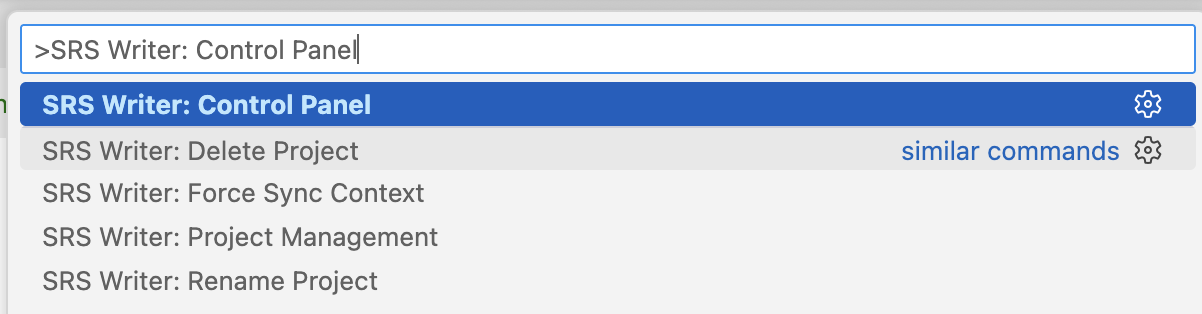
- Press
Ctrl+Shift+P(Windows/Linux) orCmd+Shift+P(macOS)run SRS Writer: Control Panel.Open SRS Writer: Control Panel
- Choose Switch Project
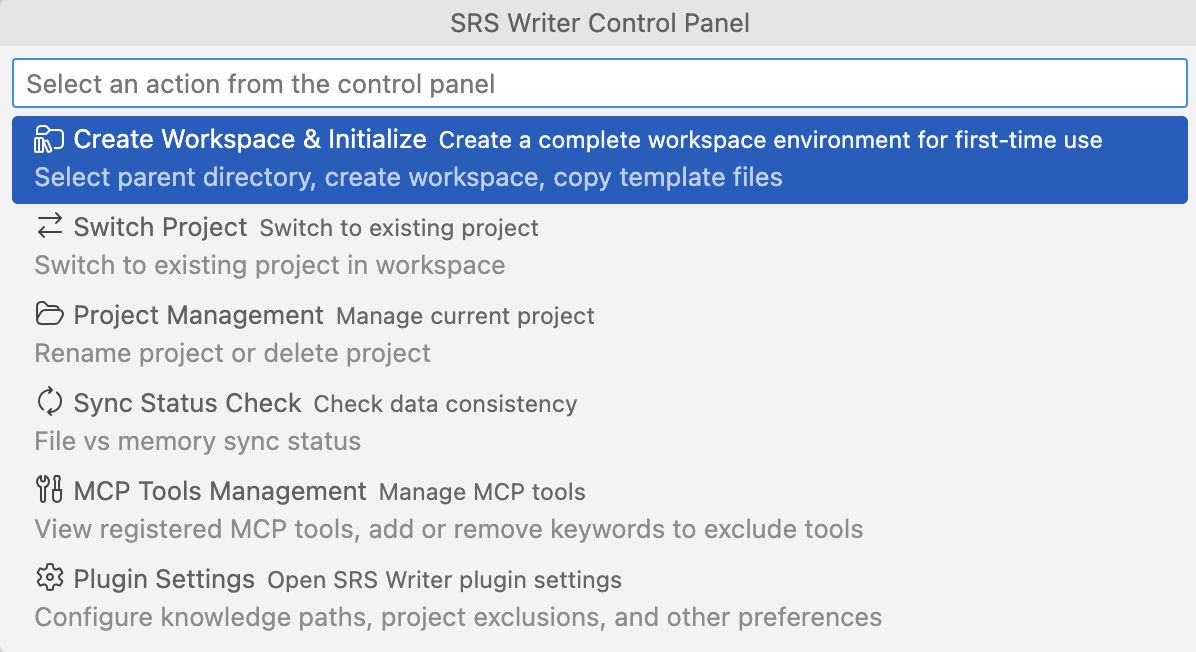
- Pick the target project (you’ll see session status, last modified, and path validity)
- If a plan is running, confirm stopping it; the switch then completes
After switching:
- Status bar shows the current project (e.g.,
SRS: CRMSystem) - Loads that project’s session context and file paths
- Chat context is cleared to avoid cross-talk
Create a new project
Recommended: via chat :
Press Ctrl+Shift+I (Windows/Linux) or Cmd+Shift+I (macOS)

@srs-writer Create a new project called "MobileAppBackend";
this is the backend API for a mobile app—start with the skeleton docs.
project_initializer will:
- Create the project directory (auto-renaming if needed to avoid conflicts)
- On
wipbranch, initializeSRS.md,requirements.yaml, andprototype/ - Update the session and log it in
.session-log/
No need to copy templates or create session files manually—stay inside the initialized workspace.
Common scenarios & tips
Parallel client/product work
- Commit changes in the current project before switching (avoid mixed commits)
- After switching, confirm the status bar shows the right project before chatting
- If a path error appears, use Sync Status Check or Project Management in the Control Panel to fix it
Migrating/renaming
- Control Panel → Project Management → Rename Project atomically updates the folder and session
- Avoid manual folder renames; they trigger path validation errors

Cleaning up
- Control Panel → Project Management → Delete Project
- Moves the project folder and session file to trash, then returns to the main session
Best practices
- Clear names: include product/client and year/version, e.g.,
ClientPortal_2025,EcommerceAPI_Redesign. - Stay on
wip: if you’re not onwipafter switching, run Sync Check or Force Sync. - Small commits: commit per project to avoid mixed changes.
- Check sync regularly: after manual file moves or git pulls, run Sync Status Check to catch issues early.