
Installation & Initialization Guide
Time required: ~10 minutes
Prerequisites
Make sure the following are ready:
- ✅ VS Code 1.102.0 or above+
Check via
Help→About(macOS:Code→About Visual Studio Code).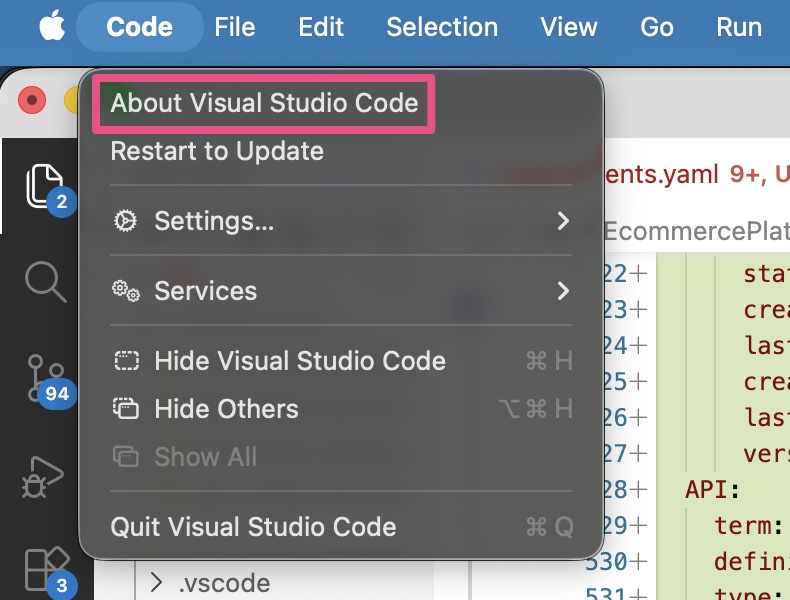
- ✅ Git installed
Rungit --versionin a terminal.
- ✅ GitHub Copilot subscription
SRS Writer uses VS Code LM APIs provided by Copilot. Ensure the Copilot icon in the bottom-right is logged in and healthy.
SRS Writer is free; Copilot provides the AI.
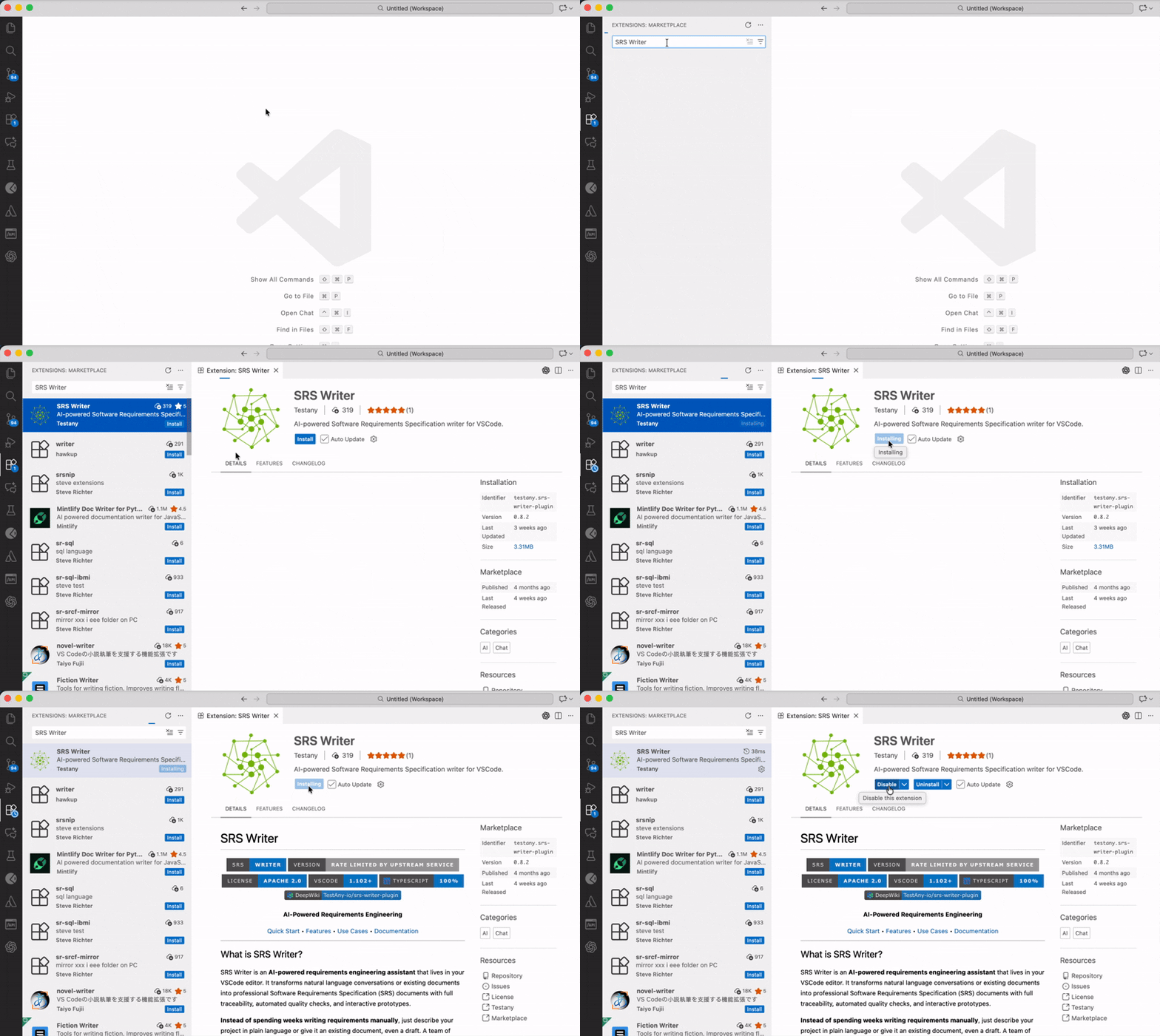
Step 1: Install SRS Writer Via VS Code Marketplace
- Open VS Code
- Extensions view (
Cmd+Shift+X/Ctrl+Shift+X) - Search
SRS Writer - Install "SRS Writer" by Testany
Step 2: Initialize a Workspace (recommended)
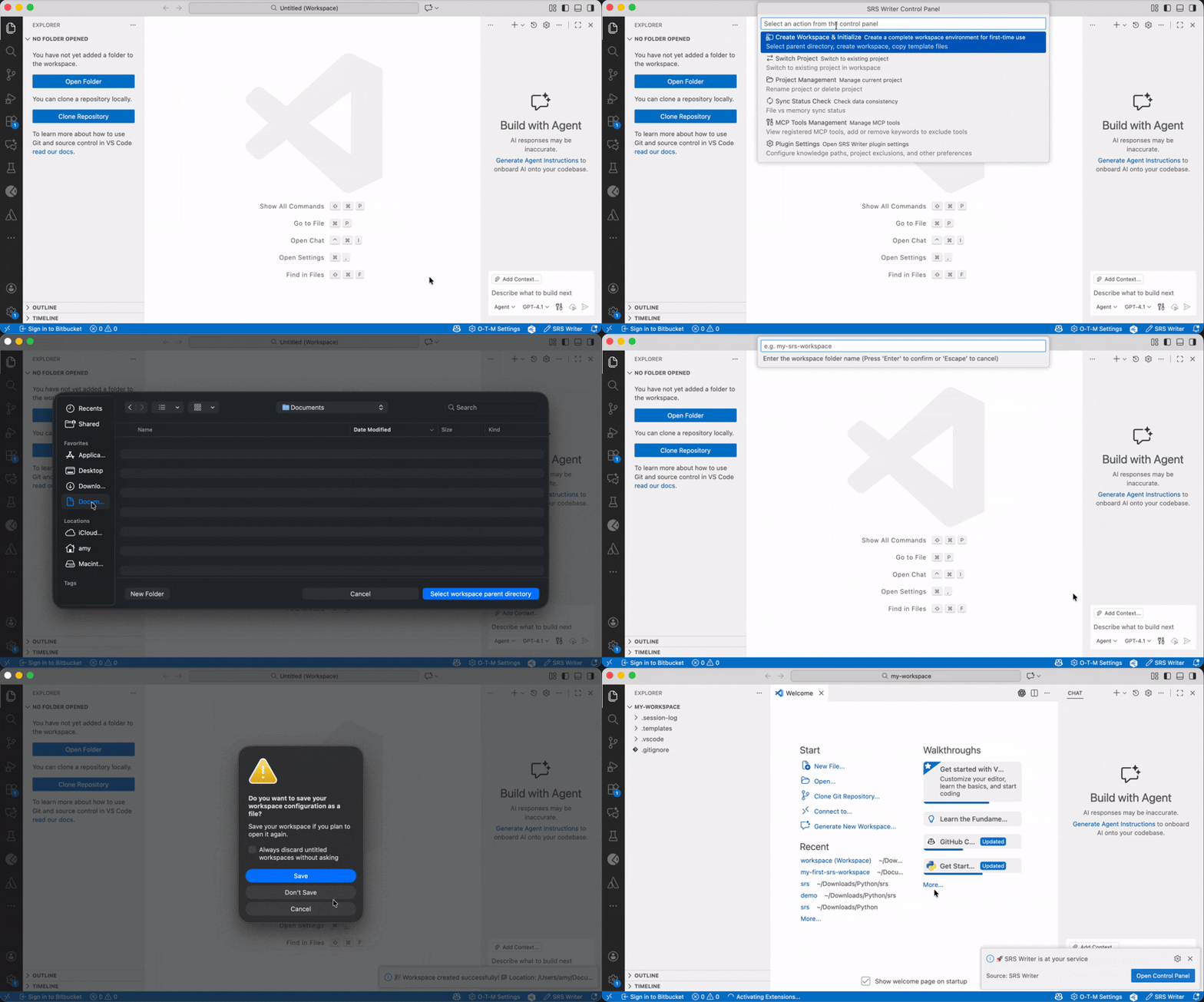
Copies templates, sets defaults, initializes Git (
main+wip), and creates.session-log/for session files.
- Command Palette
Cmd+Shift+P/Ctrl+Shift+P - Run SRS Writer: Control Panel
- Pick Create Workspace & Initialize
- Choose a parent folder → enter workspace name (letters/numbers/
-/_) - VS Code will open the new workspace when finished
You’ll get:
.templates/(chapter and prototype templates).vscode/settings.jsonpackaged with the extension- Git repo with
mainand workingwipbranch .session-log/session files for multi-project switching
Step 3: Verify & select a model
- Status bar shows SRS: ... when the extension is active
- Open Chat panel (
Cmd+Shift+I/Ctrl+Shift+I) and type@srs-writer→ icon should appear - Choose an AI model from the chat header (Copilot-provided; premium model recommended for quality)
Troubleshooting
❌ "No AI model available"
- Ensure Copilot is logged in (bottom-right icon)
- Run
Developer: Reload Window - Confirm subscription at github.com/settings/copilot ↗ and sign in again
❌ @srs-writer not found in chat
Developer: Reload Window- Check the extension is installed/enabled
- If still missing, uninstall then reinstall the extension
❌ Extension won’t install
- Verify VS Code ≥ 1.102.0
- Use VSIX offline install if Marketplace is blocked
- Remove old cache then reinstall:
Bash
rm -rf ~/.vscode/extensions/testany.srs-writer-plugin-*
Next steps
- 👉 Try your first run: Create Your First Document
- 👉 See the structure SRS Writer generates: Document Structure
- 👉 Stuck? Check Troubleshooting