
SRS Writer - AI-Powered Requirements Engineering
Turn conversations into a deliverable requirements package in hours, not weeks.
🎬 See It In Action
(Demo video coming soon)
What is SRS Writer?
SRS Writer is a VS Code extension that orchestrates 16+ specialists to deliver a complete requirements package (SRS.md, requirements.yaml, prototype/, and session logs) through chat.
Without SRS Writer:
- You handcraft structure, quality review, and traceability
- Notes and drafts stay scattered and easy to miss
- Switching projects breaks templates and consistency
With SRS Writer:
- ✅ Ship a review-ready requirements package in hours
- ✅ IEEE 830-aligned structure from built-in templates
- ✅ Quality review, syntax checks, and traceability matrix handled automatically
- ✅ Safe semantic edits for ongoing updates
💬 How It Works
1. Mention @srs-writer in the Chat panel
@srs-writer Need a task management system where users create tasks,
assign them, and track progress
2. The orchestrator builds a plan
- Detects greenfield vs. brownfield scenarios
- Plans tool calls and specialists to involve
- Auto-loads existing context (
SRS.md,requirements.yaml,source_draft.md)
3. Specialists execute
project_initializercreates the project folder, Git scaffold, and base files- Content specialists write each chapter (FR/NFR/IFR/DAR/prototype/risk/summary)
srs_reviewerproduces a quality review with fixes- Semantic editor applies SID-based edits safely
4. Deliverables
SRS.md(Markdown)requirements.yaml(structured entities with IDs)prototype/(HTML/CSS/JS skeleton)- Session & operation logs (
.session-log/)
That’s it.
✨ Core Features
💬 Conversation + Plan Execution
Natural chat only—the orchestrator switches between chat Q&A, tool execution, and plan execution modes automatically.
📊 Built-in Quality & Syntax Checks
srs_reviewer audits structure, completeness, feasibility, and traceability; syntaxChecker validates Markdown/YAML (basic/standard/strict).
🔄 Safe Semantic Iterations
SID targeting plus the semantic edit engine enable precise insert/replace/delete and YAML key-path edits without collateral damage.
🧠 16+ Specialists
Content specialists for FR/NFR/IFR/DAR/prototype/risk/summary/etc., plus process specialists for project initialization, formatting, quality review, and Git operations.
🔌 Knowledge & Tool Integration (Optional)
Local knowledge search, enterprise RAG (srs-writer.rag.enterprise.*), optional internet search, and VSCode/MCP tool registration with exclude-keyword management.
📏 Standards & Templates
Ships with .templates/ for chapters and IDs, requirements.yaml schema at config/schemas/requirement-entity-schemas.yaml, ready out of the box.
🚀 Quick Start (3 Steps)
Step 1: Prerequisites
- VS Code 1.102+
- Git and a GitHub Copilot subscription (uses VS Code LM APIs)
Step 2: Install & Initialize a Workspace
- Open the Extensions view (
Cmd+Shift+X/Ctrl+Shift+X). Search for SRS Writer. Click Install.
- After installing, Press
Ctrl+Shift+P(Windows/Linux) orCmd+Shift+P(macOS) run SRS Writer: Control Panel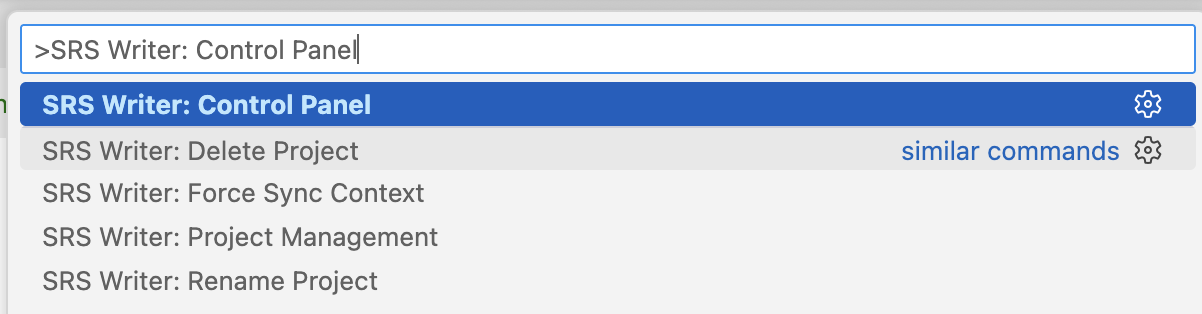
- Or, click the SRS Writer: button located in the Status Bar to trigger the popup.
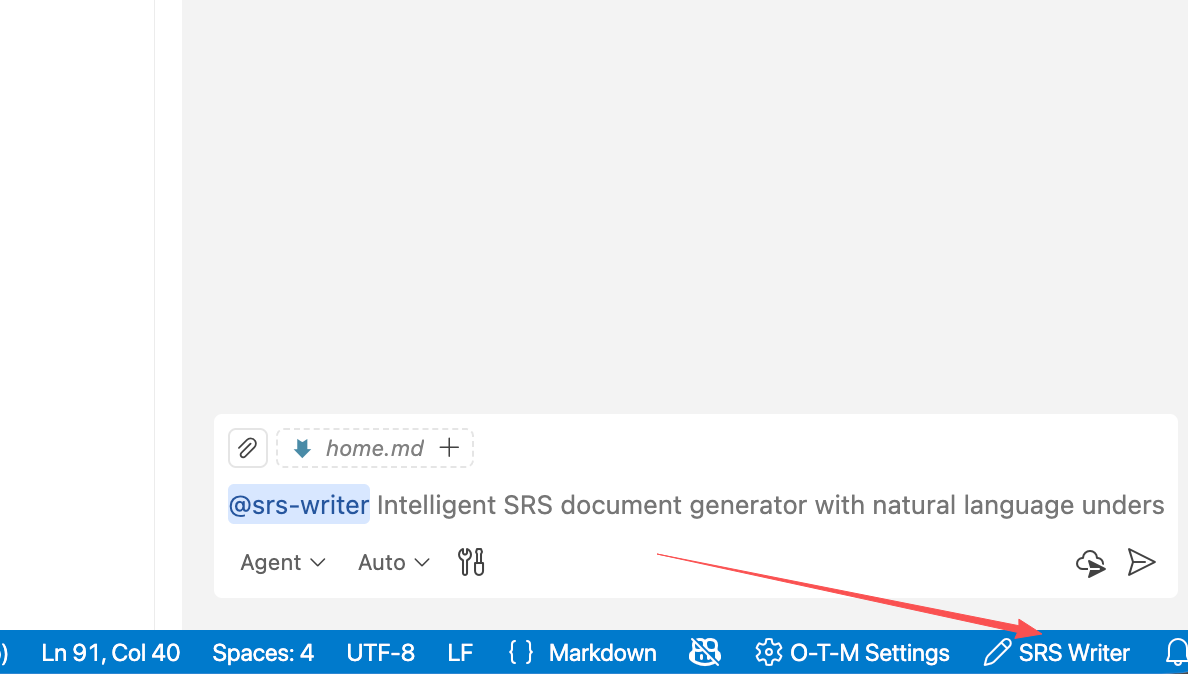
- Choose Create Workspace & Initialize
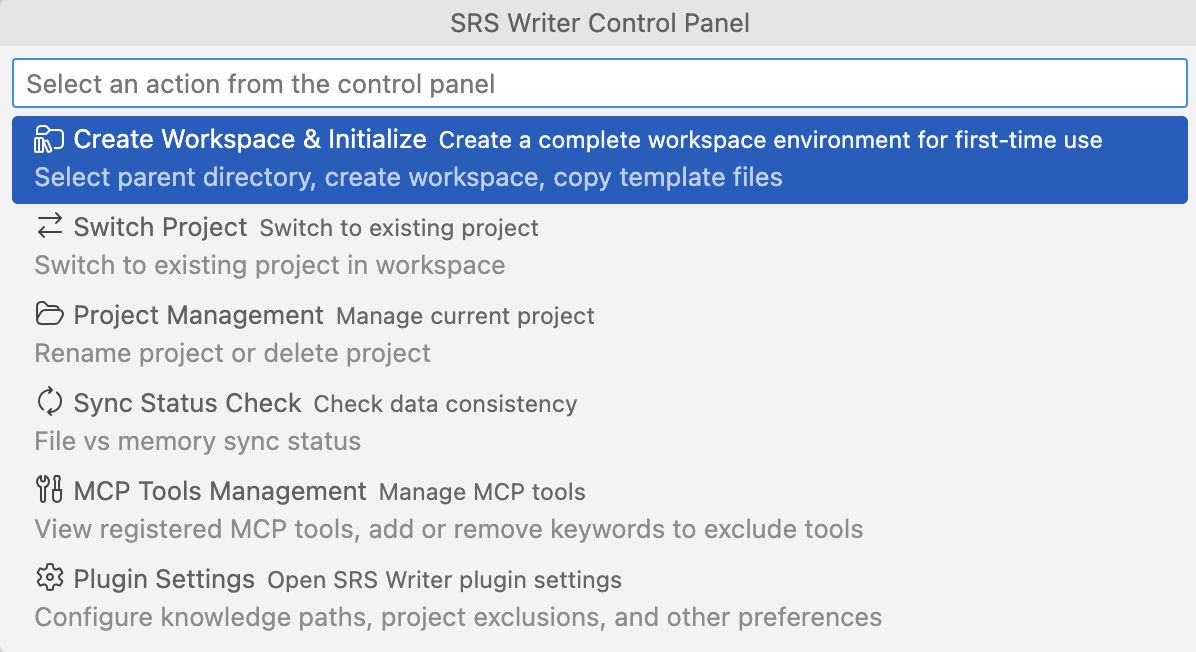
- Choose the parent directory in the prompt to initialize the project. The extension will automatically copy
.templates/, create.vscode/settings.json, init Git (main+wip), and create.session-log/session files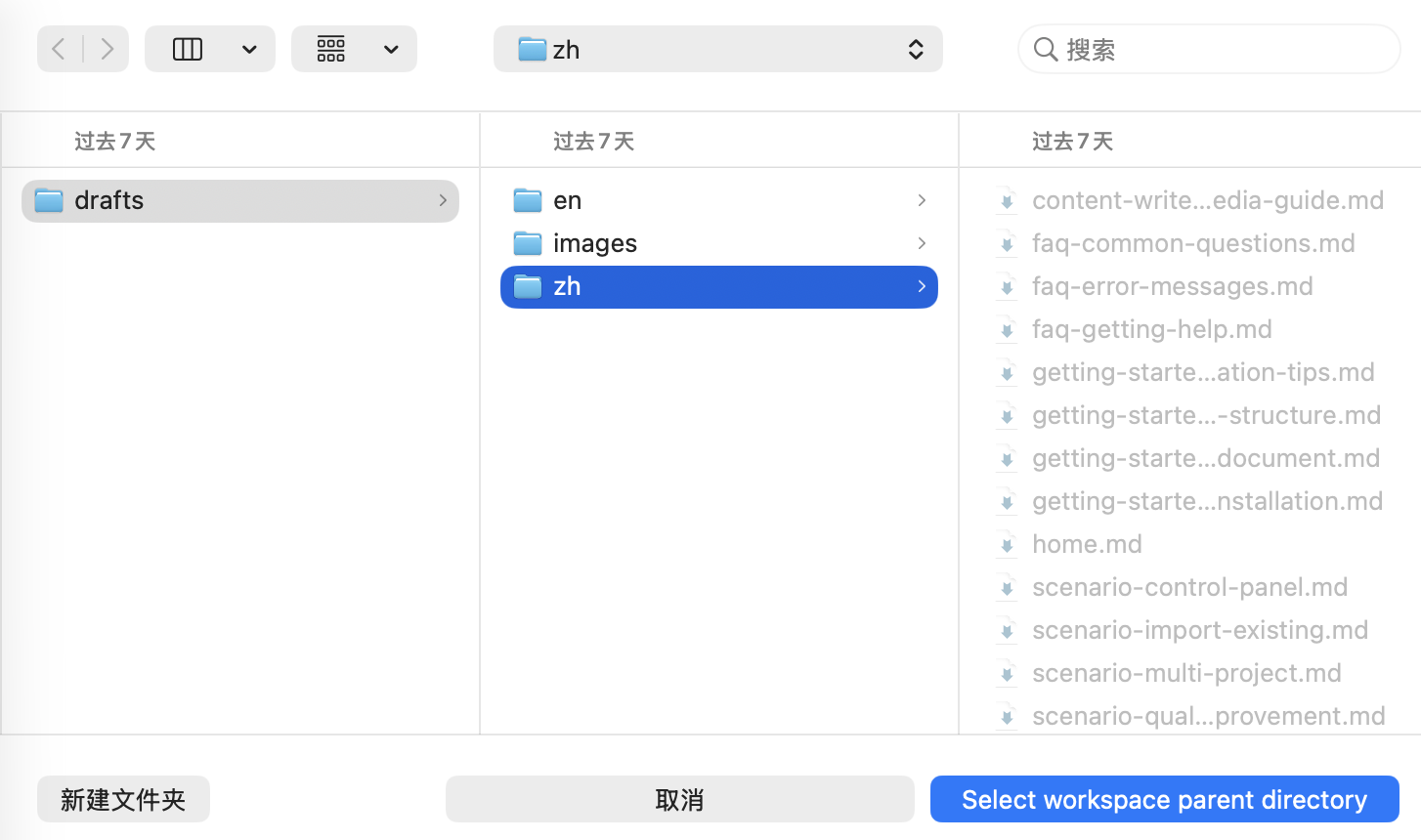 Step 3: Generate the Docs
Open Chat Panel
Press Ctrl+Shift+I (Windows/Linux) or Cmd+Shift+I (macOS)
 Start Conversation
@srs-writer Build a requirements spec for a task management system...
See Results
- Specialists write
SRS.md,requirements.yaml, andprototype/based on your request
⏱️ Total Time: ~10 minutes
Full Installation & Init Guide →
💡 Who Uses SRS Writer?
👔 Product Managers
Paste notes → structured SRS; automatic “requirement → use case → FR/NFR” traceability.
📊 Business Analysts
Rely on reviews, syntax checks, and traceability completion to avoid gaps and conflicts.
🏗️ System Architects
Template-backed chapters, entity ID rules, and semantic edits keep complex systems consistent.
👥 Development Teams
Turn user stories/backlog items into formal specs; validate changes via diff and session logs.
🏢 Enterprise Teams
Need project isolation, Git branch discipline, enterprise RAG, or MCP tool onboarding.
🌐 Language / 语言
📖 English Documentation | 中文文档
📞 Support & Community
🎯 What's Next?
New here? 👉 Start with Installation & Initialization
Already installed? 👉 Try Create Your First Document
Want sharper outputs? 👉 Read Conversation & Prompt Tips
Version: 0.8.2
Last Updated: 2025-11-12
License: Apache-2.0
Built with ❤️ by Testany.io ↗