
Understand the Generated Files
Goal: Know what each file does, where it lives, and how they work together
Overview
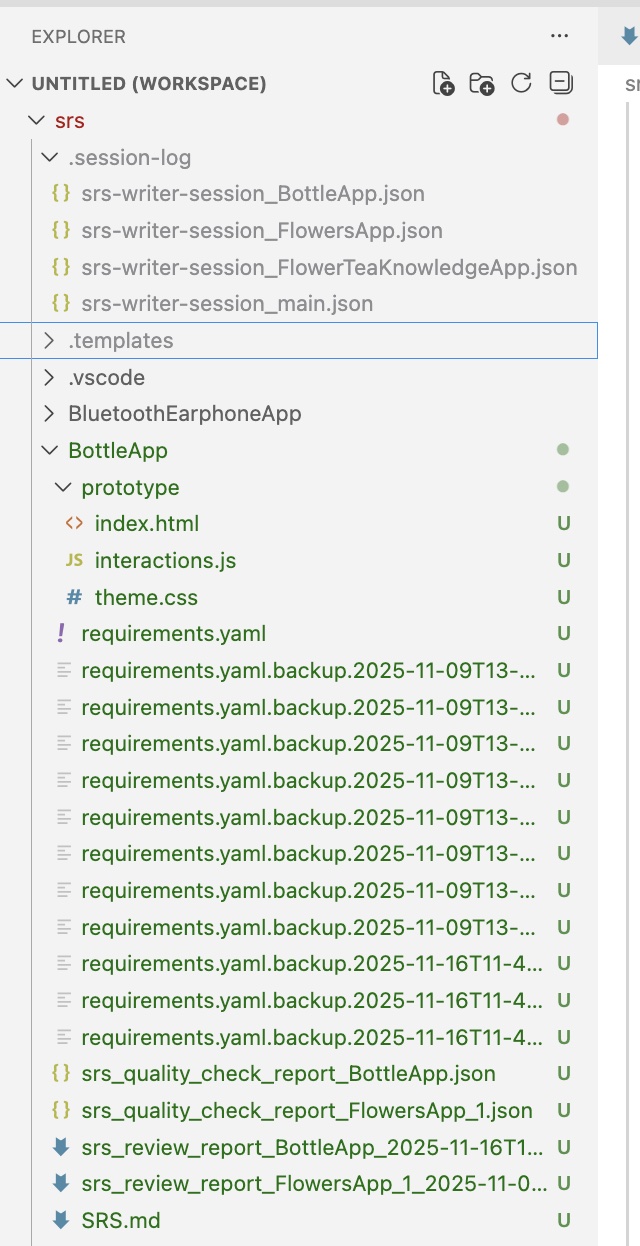
For each new project, SRS Writer creates a folder under your workspace root with these files:
<workspace>/<projectName>/
├── SRS.md                  # Human-readable requirements (Markdown)
├── requirements.yaml       # Structured requirements with IDs and relations
└── prototype/              # Prototype scaffold (HTML/CSS/JS)
    ├── index.html
    ├── theme.css
    └── interactions.js

.session-log/               # At workspace root (do not edit manually)
└── srs-writer-session_*.json
📄 SRS.md (main document)
- Format: Markdown, chapters come from
.templates/, aligned with IEEE 830 conventions - Coverage: summary, overall description, journeys/use cases, FRs, NFRs, interfaces/data (IFR/DAR), risks/constraints, prototype overview, etc.
- IDs & traceability: entity IDs (FR-001, NFR-001, UC-001, …) appear here and match
requirements.yaml - Quality:
srs_reviewershares improvements in chat and may apply fixes directly
Read and review in VS Code; export via Markdown extensions or copy to PDF when needed.
📊 requirements.yaml (structured requirements)
- Purpose: Machine-readable mirror of the same requirements—supports traceability, diffing, and automated checks
- Key fields (example):
YAML
functionalRequirements: - id: FR-001 title: User Authentication description: Users must be able to register/login priority: High status: Draft relatedTo: - type: derives_from id: UC-001 # linked use case nonFunctionalRequirements: - id: NFR-001 category: Performance requirement: 95% requests < 500ms interfaceRequirements: - id: IFR-001 api: POST /api/tasks dataRequirements: - id: DAR-001 entity: Task fields: - name: title type: string required: true - Validation:
syntaxCheckersupports basic/standard/strict; schema atconfig/schemas/requirement-entity-schemas.yaml - Editing: Keep IDs stable; prefer asking SRS Writer to update via YAML edit tools rather than heavy manual edits
🎨 prototype/ (UI scaffold)
- Minimal
index.html/theme.css/interactions.js - Generated by the
prototype_designerspecialist to share UI ideas quickly - Open directly in VS Code and extend styling/behavior as needed
🗂️ .session-log/ (session files)
- Location: workspace root, not inside the project folder
- Purpose: tracks current session, project switching, and sync status
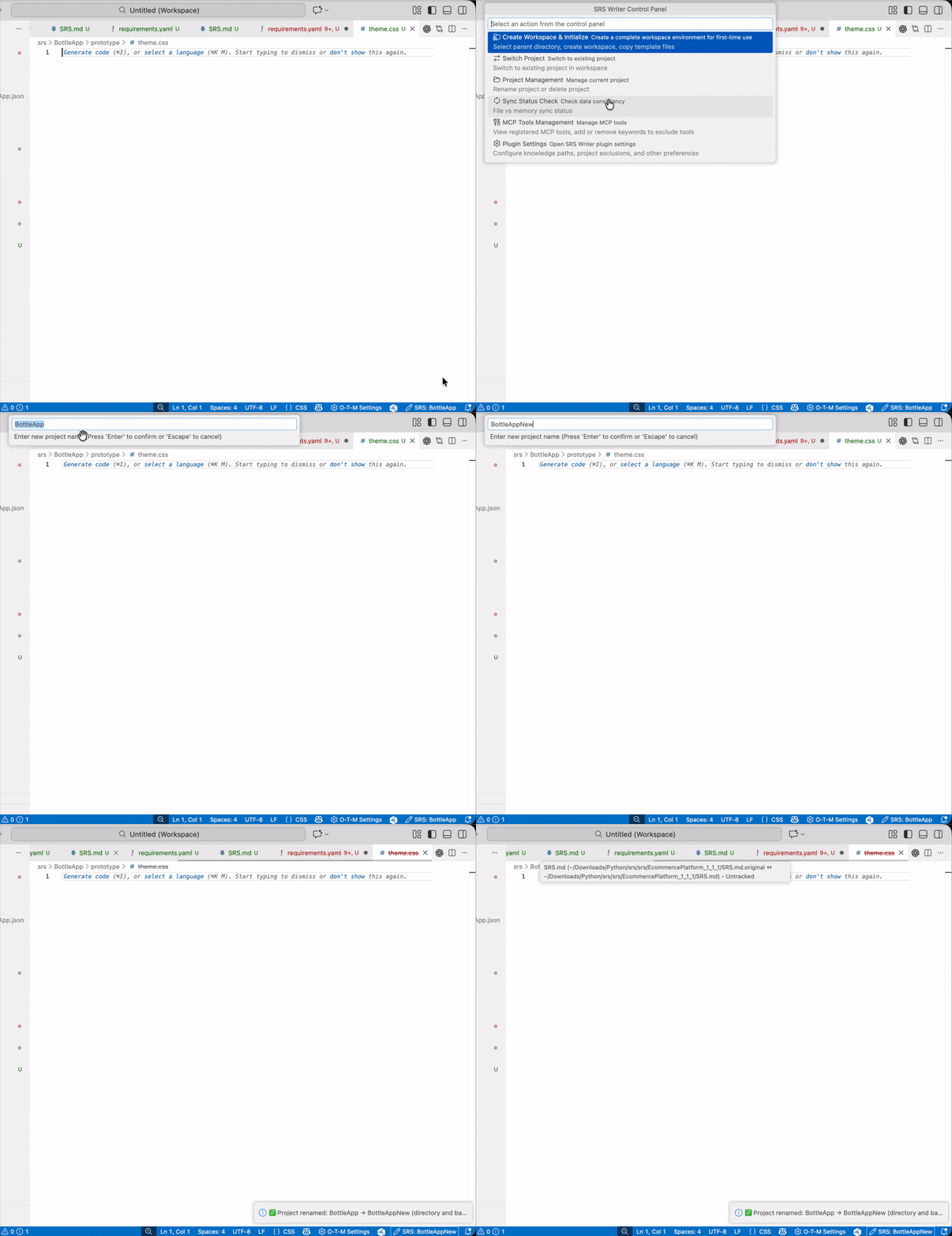
- Note: do not edit manually; use Control Panel → Project Management for rename/delete operations
How the files work together
SRS.mdis for humans;requirements.yamlis for tools—IDs and content stay in sync.- Changes use the semantic editor: SID targeting for Markdown and key-path edits for YAML to avoid collateral changes.
- Quality review (
srs_reviewer) feedback appears in chat and may patchSRS.md/requirements.yamldirectly.
Safe editing tips
- Add/change requirements: describe the change in chat and let SRS Writer apply it; avoid large manual edits.
- Keep IDs stable: FR/NFR/IFR/DAR/UC IDs anchor traceability—avoid renumbering.
- Inspect diffs: use VS Code SCM or
git diffto confirm changes before committing.