
测试用例编写指南及最佳实践 - Postman
Postman 是一个用于构建和使用 API 的平台。本文档展示了如何在 Testany 中编写 Postman 测试用例。
测试用例包 - 一个 zip 文件
目前我们仅支持将本地 zip 文件上传到 Testany。zip 文件应遵循以下结构:
my-postman-test.zip
└── collection.json      ← Postman collection 文件(必需,只允许一个 .json 文件)
注册时配置:
Postman 执行器仅支持单个 .json collection 文件。如果需要环境变量,请在测试用例详情页面的 Environment Variables 部分配置。
zip 文件需要至少包含一个文件:
-
测试用例代码文件,例如
hello-postman.postman_collection.jsonhello-postman.postman_collection.jsonJSON{ "info": { "_postman_id": "2c19e161-6009-4237-8643-9c6df5b0c596", "name": "hello-postman", "schema": "https://schema.getpostman.com/json/collection/v2.1.0/collection.json", "_exporter_id": "549544" }, "item": [ { "name": "website-active-check", "event": [ { "listen": "test", "script": { "exec": [ "pm.test(\"Status code is 200\", function(){", " pm.response.to.have.status(200);", "})" ], "type": "text/javascript" } } ], "request": { "method": "GET", "header": [], "url": { "raw": "{{URL}}", "host": [ "{{URL}}" ] } }, "response": [] } ] }
环境变量配置
在 Postman collection 中使用的变量(如 {{URL}})必须在两处配置:
- Test Case 详情页 → Environment Variables 部分:定义
URL及其值(如https://api.example.com) - Postman collection:使用
{{URL}}语法引用变量
Testany 在执行时会自动将 Environment Variables 传递给 Postman。请参阅《管理测试用例》了解详情。
将所有相关文件压缩为一个 zip 文件,在这种情况下,测试用例包文件是
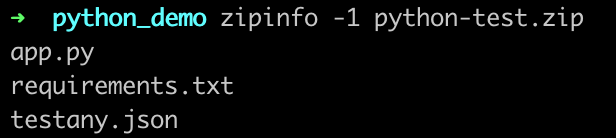
成功准备好 .zip 文件后,您将能够在 Testany 平台上注册您的测试用例。请参阅 《管理测试用例》 以获取注册的分步指南。
×
还有疑问?
我们的团队随时为您服务。欢迎联系我们,我们会尽快回复。