
Import from Git V1 vs V2
1. Overview
Import from Git now provides V1 and V2 in parallel.
When you click Register Test Case → Import from Git, Testany first asks you to choose which version to use.
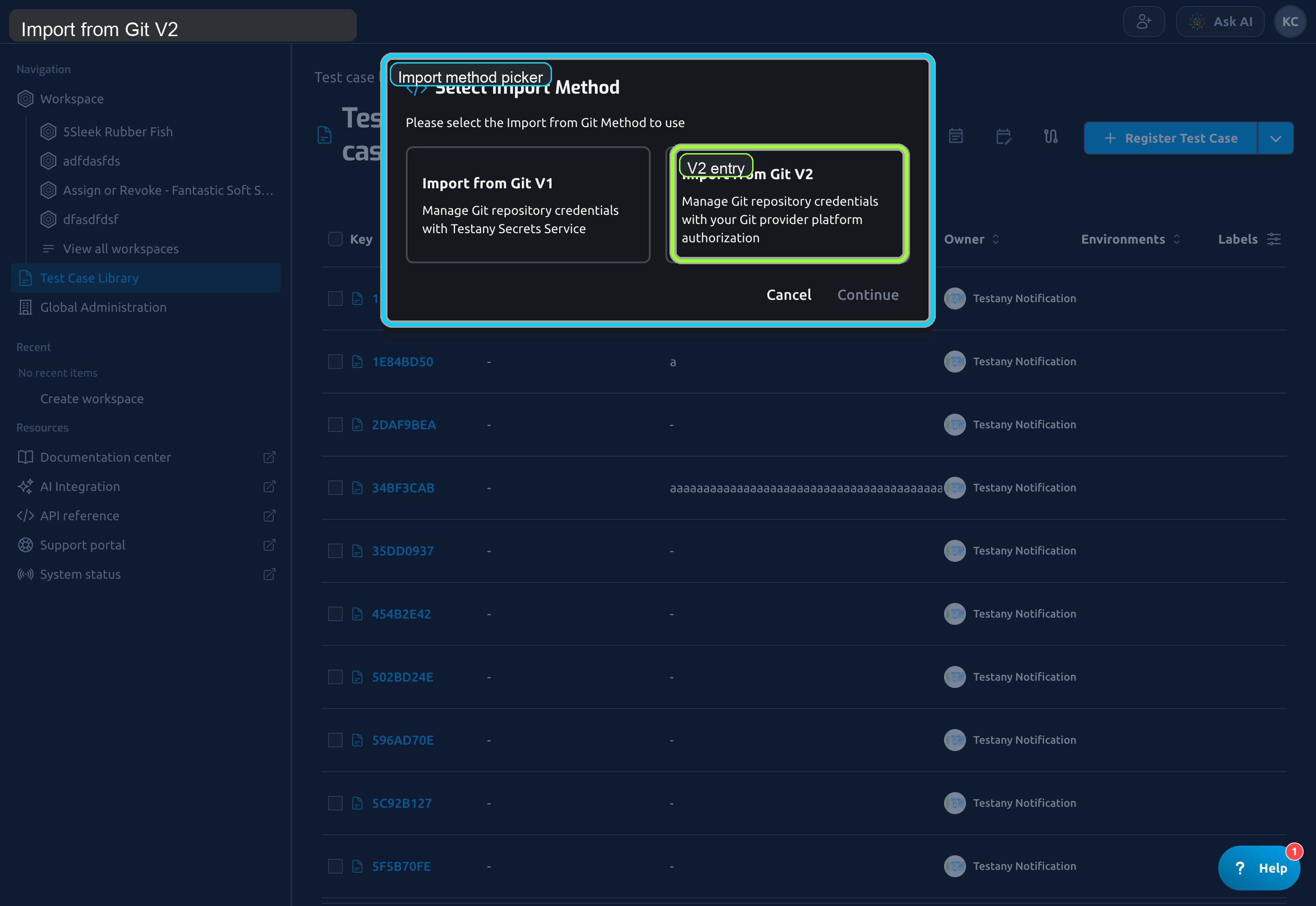
Import from Git V1 is not being retired. Keep using V1 if your team already has a stable credential-based Sync Link workflow. Use V2 when you want GitHub account authorization, repository-scope management, Managed Import, or the newer sync lifecycle.
2. When to choose V1 or V2
| Item | V1 | V2 |
|---|---|---|
| Credential model | Store Git credentials in Testany Secrets Service | Use your Git provider account authorization |
| Repository access | Based on stored credentials | Based on connected GitHub account plus GitHub App repository access |
| Current platform support | GitHub, Bitbucket | GitHub only |
| Best for | Existing V1 users, credential-based workflows | Teams that want GitHub-native authorization and explicit repository scope control |
| Ongoing maintenance | Update an import history by rerunning the wizard | Maintain an import history through detail pages and explicit lifecycle actions |
| Import modes | Sync Link only | Sync Link and Managed Import |
3. Supported platforms in V2
At the current release, Import from Git V2 supports GitHub.
GitLab, Bitbucket Cloud, and Azure DevOps Services are shown as Coming Soon / Request Access entries in the UI, but they are not available for actual imports yet.
4. Before You Use V2, Understand These Points
4.1 Connection Management and Imports are separated
The V2 page is divided into two areas:
Connection Management: connect GitHub accounts and manage repository accessImports: create a new import or open an existingImport History
4.2 Connecting a GitHub account is not enough by itself
V2 uses a two-step access model:
- Connect your GitHub account in Testany.
- Grant
Testany Git Connectoraccess on the personal account or organization that owns the repository.
If step 2 is incomplete, the account may appear in Testany, but the repository list can still be empty.
4.3 Repository Access Scope is managed per installation
In V2, repository visibility is controlled by the GitHub App installation scope, not by a PAT or repository URL pasted into the wizard.
For organization repositories, the target repository must first be added into the selected scope before Testany can import it. This can be done either by a GitHub organization admin in the organization installation, or by an admin of the target repository on the repository side.
4.4 V2 provides two import modes
- Testany keeps a sync relationship with the Git file.
- Execution reads the script directly from Git at run time.
- In
Track Latest, code always follows the current branch latest commit.
- Testany imports the code into a platform-managed Mirror.
- Execution reads the script from the Mirror at run time.
- In
Track Latest, you still need manualSyncor GitHub Webhook to move the Mirror forward.
4.5 Track Latest and Pinned Commit are different lifecycle choices
- Follows the selected branch
- Suitable when the import should keep moving with the branch
- Webhook is available
- Locks the import history to one commit
- Suitable when reproducibility matters more than automatic following
- Webhook sync is unavailable
4.6 Importing code changes is different from handling relationship changes
In V2, these are intentionally separate:
- Code-layer updates: latest commit tracking, Mirror refresh, manual
Sync, Webhook - Relationship-layer updates:
Import Added FilesandMark Source Deleted
This is the most important behavior difference from V1. New files and source-side deletions are not auto-applied as new or deleted Test Cases.
5. Recommended reading path
If you will use V2, read these pages in order:
- Import from Git V2: Connect GitHub and Create an Import
- Import from Git V2: Manage GitHub Connections and Repository Access
- Import from Git V2: Maintain Sync Link Imports
- Import from Git V2: Maintain Managed Import Records
- Import from Git V2: FAQ and Troubleshooting
If you will continue using V1, read:
Still have questions?
Our team is here to help. Get in touch and we'll get back to you as soon as possible.