
Managing Test Credential
Overview:
Credentials are critical data used during testing. They are crucial not only for the test outcomes but also demand high levels of security and confidentiality. The Testany Platform's Testany Secrets Service (TSS) ensures end-to-end protection of credentials throughout the testing process, preventing their leakage during storage, retrieval, and execution.
Understanding Testany Secrets Service
TSS definition (aka TSS): Testany Secrets Service is a specialized service designed to fetch secrets from Trusted Certificate Safes, such as Azure Key Vault and AWS Secrets Manager. It facilitates secure retrieval of sensitive information like keys and certificates, ensuring data security and compliance with industry standards. The service operates by receiving requests to extract specific secrets identified by keys and responds with the requested data, thus playing a crucial role in secure information management.
In the Testany Platform design, TSS is integrated with the Test Execution Runtime module in a one-to-many relationship. The management of test credentials varies depending on the deployment method of the runtime, whether it is Testany Managed Cloud or Self-Managed Cloud.
If you have some secure data like credentials which need to be used in your test case, you can use Testany Secrets Service to enable tests retrieve credential/secure data via Credential Safe during execution.
Manage Credential Safe
This document is intended primarily for Workspace Admins responsible for managing test credentials. Other roles may also find it useful for reference.
Understanding the concept of "Credential Safe"
In the design of the Testany Platform, all credentials used in testing themselves must and can only be stored in a safety place provided by third-party services that comply with all relevant information security laws and regulations. These third-party services could be IaaS or SaaS providers.
Currently, the Credential Store integrated with Testany Secrets Service include:
- AWS Secrets Manager
- Azure Key Vault
To ensure that running test programs can securely and automatically read credentials stored in third-party credential stores during automated test execution, and to prevent credential leakage throughout the entire test lifecycle, test case authors should reference these credentials through Secret rows under Environment variables. For the end-user workflow, see Managing Test Case and Protect the credentials used in testing.
Thus, a "Credential Safe" is a virtual object representing a third-party credential store on Testany Platform, and a "Credential" is also a virtual object representing the credentials stored in that credential store.
Create Credential Safe
Before you start...
- Ensure you have Admin privileges for the Workspace where you need to create the Credential Safe.
- Create access permissions for TSS to access the third-party Credential Store corresponding to the Credential Safe that will be created (either via username and password or IAM method).
Step-by-Step Guide
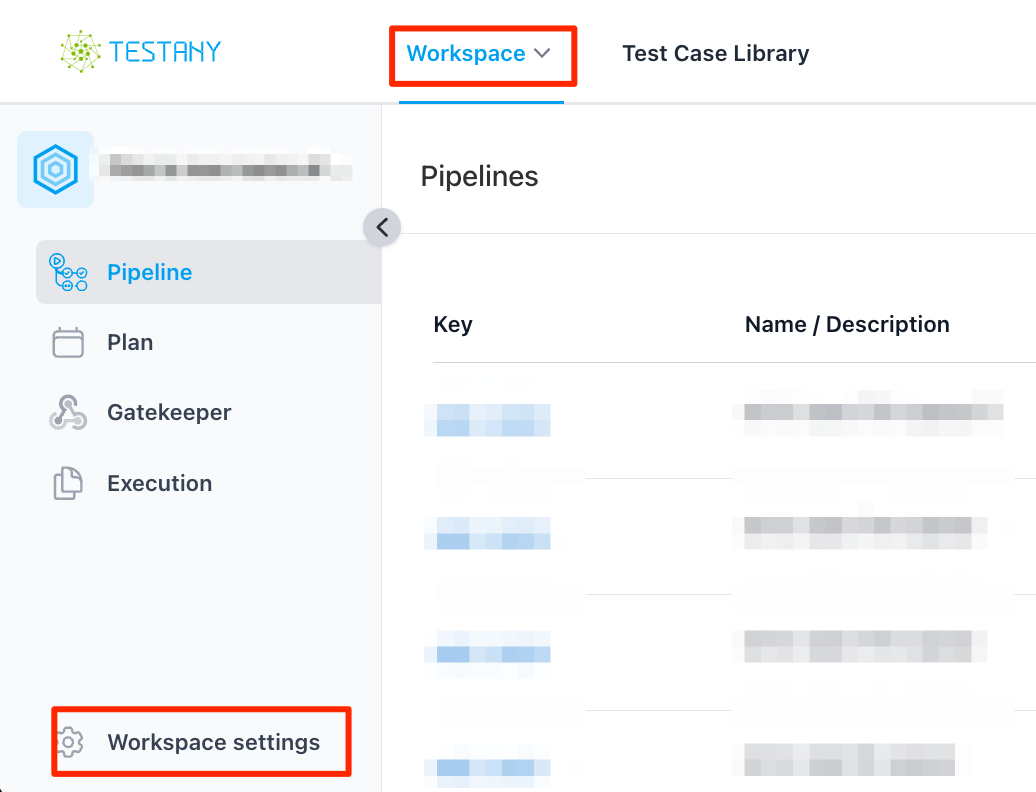
Click Workspace settings
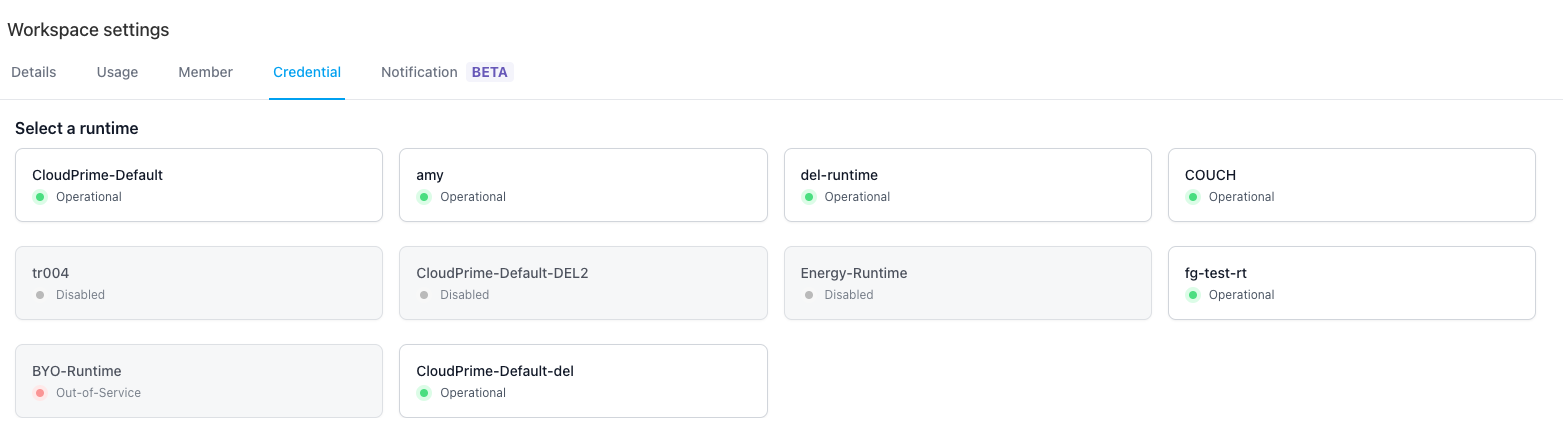
Navigate to Credential tab and select the Runtime that needs to be associated with the Credential Safe to be created
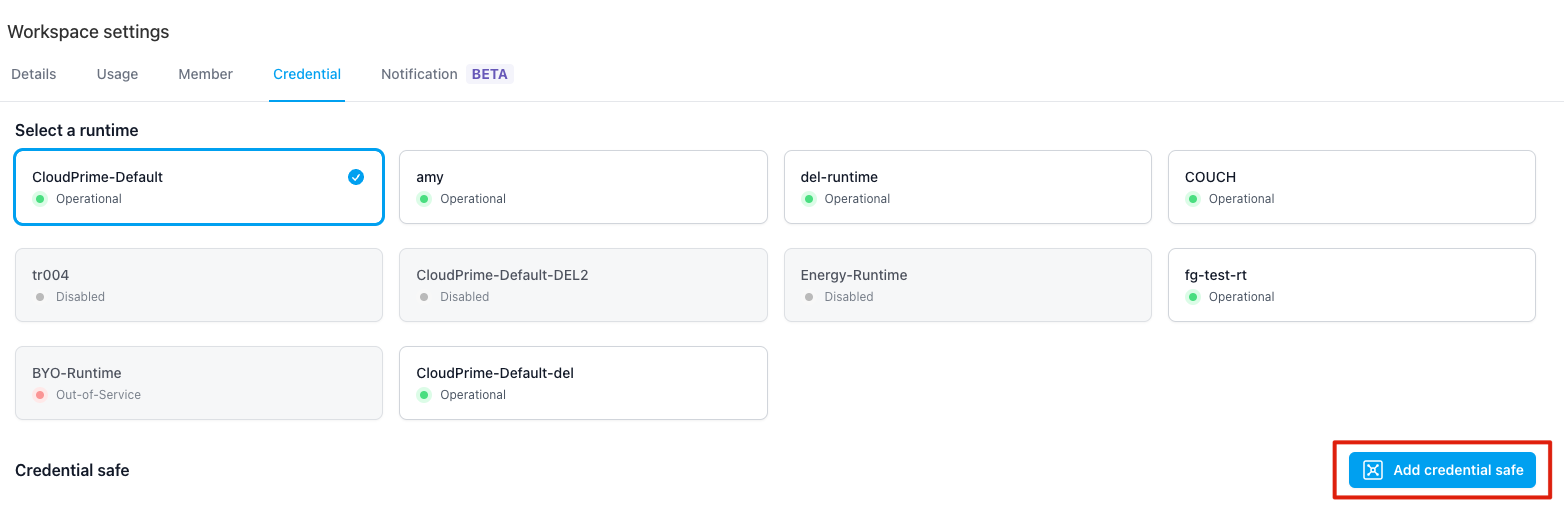
click "Add credential safe" button
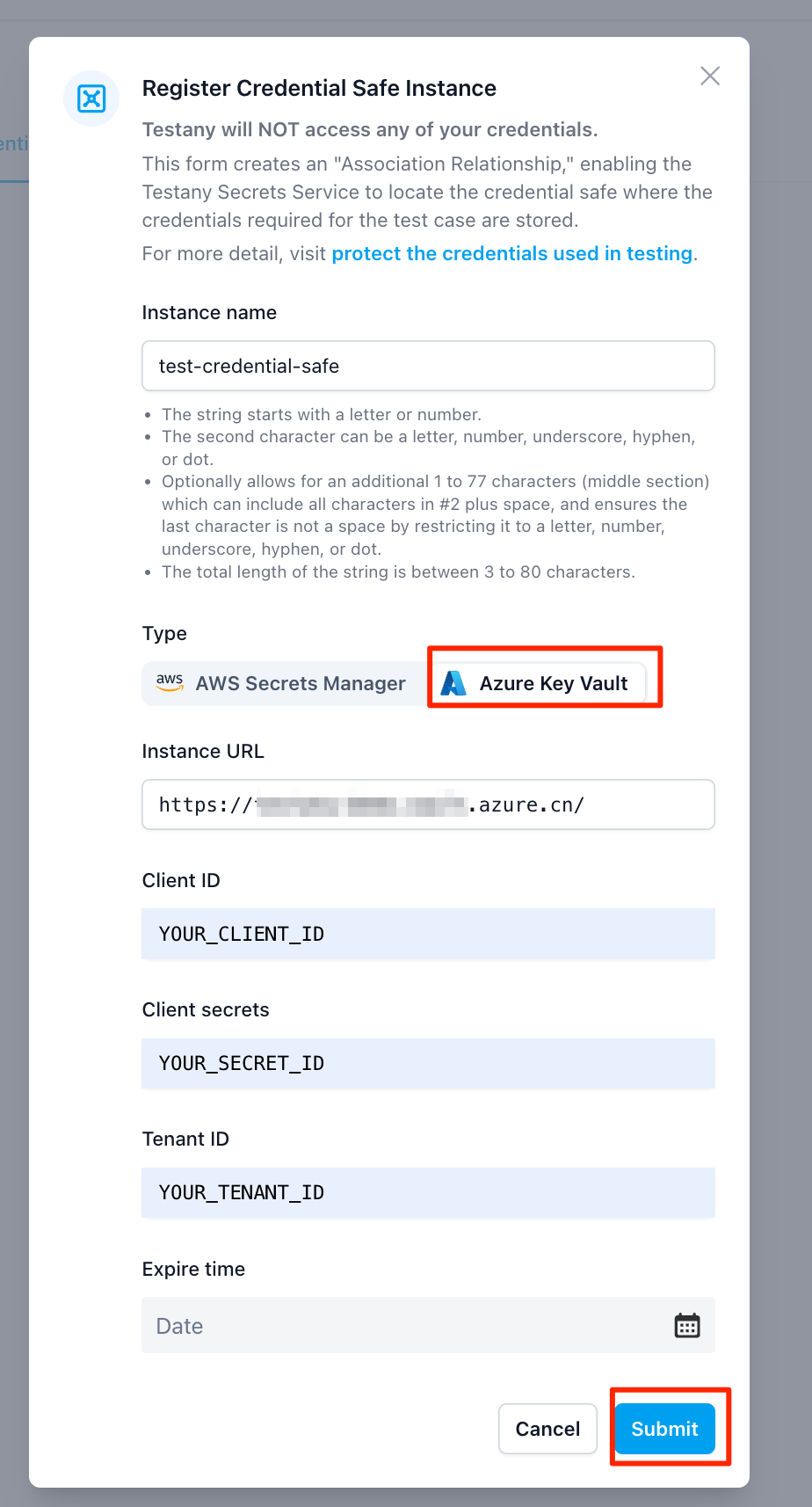
- If the Runtime you've selected is "CloudPrime-Default"
Provide related information then click "Submit" button
- If the Runtime you selected is NOT "CloudPrime-Default"
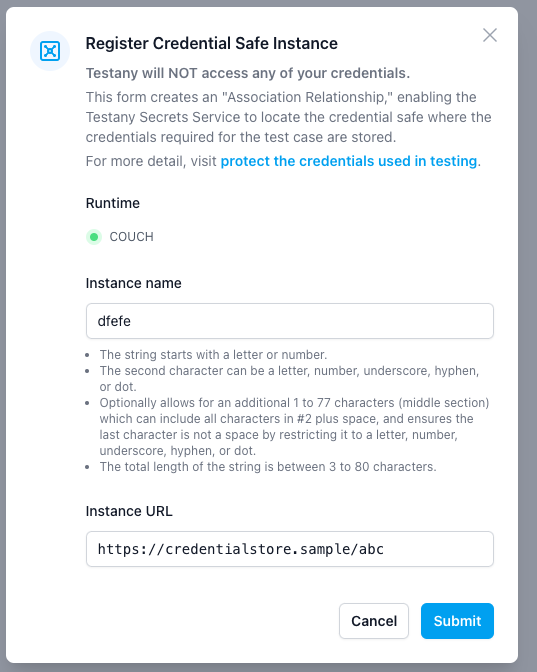
You'll be asked to provide the Credential Safe instance name and URL
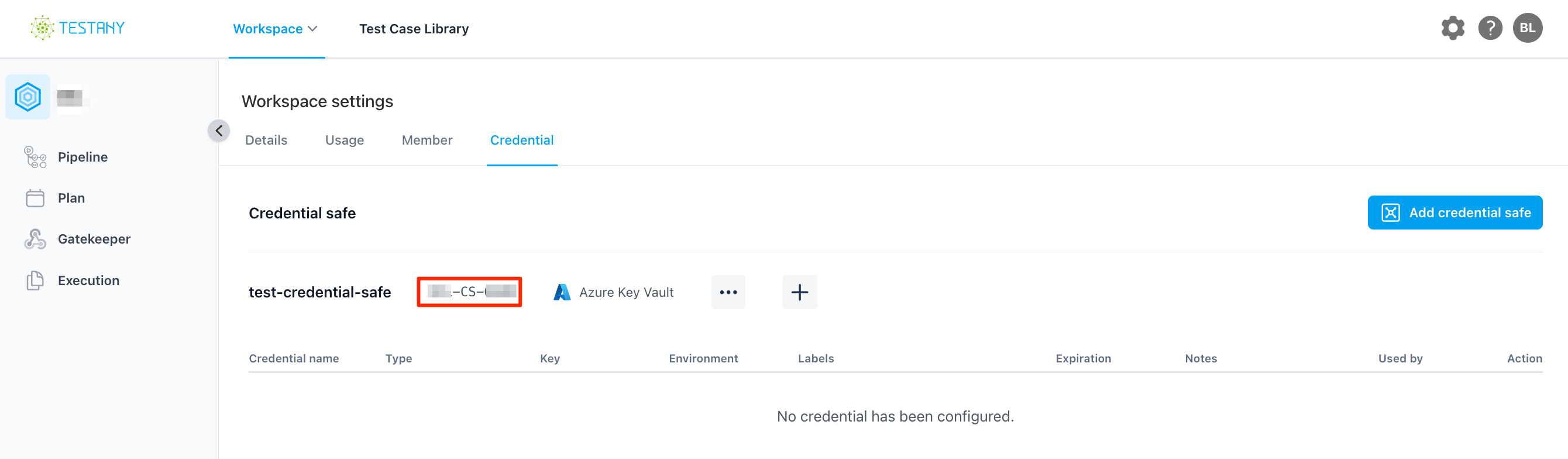
After creation, you will get a Credential Safe Key that identifies this safe. Test case authors usually select it from the UI, and admins may also use it when troubleshooting workspace credential configuration.
Edit Credential Safe
You may edit the name and URL of the existing Credential Safe by click here:
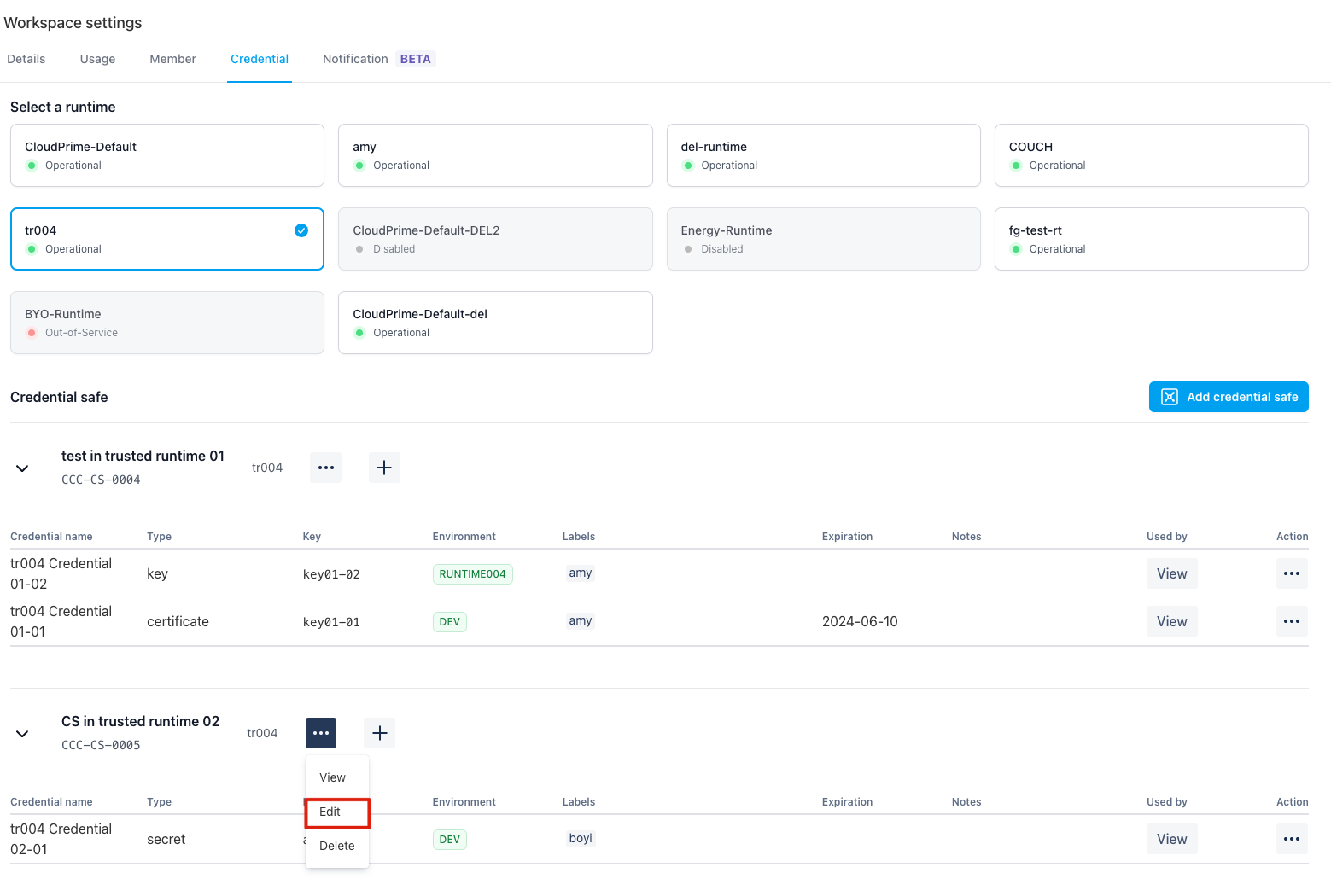
Please note the Credential Safe key is NOT allowed to be edit.
Delete Credential Safe
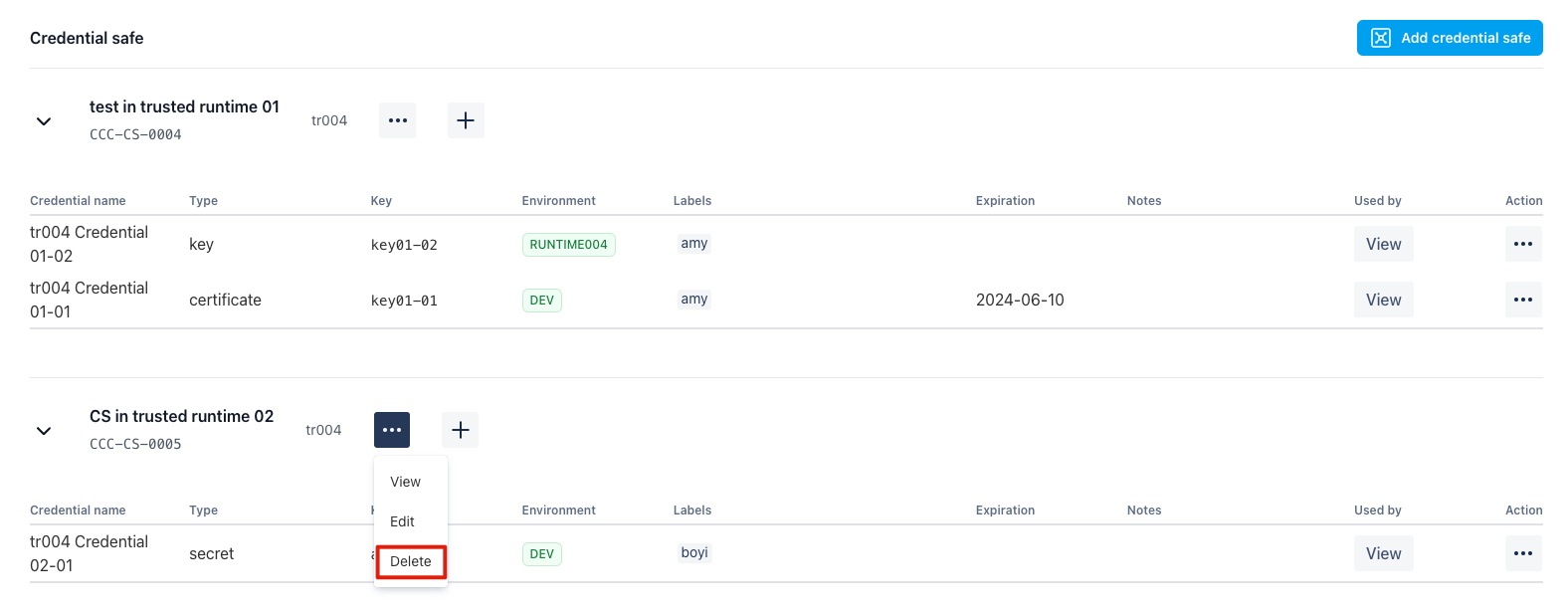
You may delete an existing Credential Safe by click here:
Credential which are created under the Credential Safe will be deleted too if you delete a Credential Safe. And all tests which reference the credentials will be immediately impacted.
Manage Credential Key under Credential Safe
The credential key is the key name for your credential which stored in your managed Credential Safe
You need to provide the key name under a Credential Safe. After that, test case authors can reference it from Environment variables -> Secret and reuse it across multiple test cases.
Add credential in your credential store (Azure Key Vault or AWS Secrets Manager)
- In Azure Key Vault, the credential create command. More details about Azure Key Vault ↗
Plain Textaz keyvalult secret set --vault-name <YOUR-VAULT-NAME> --name client-secret --value <YOUR-SECRET-VALUE>
- In AWS Secrets Manager, the credential stored like this(
client-secret). More details about AWS Secrets Manager ↗
Add Credential Key on Testany Platform
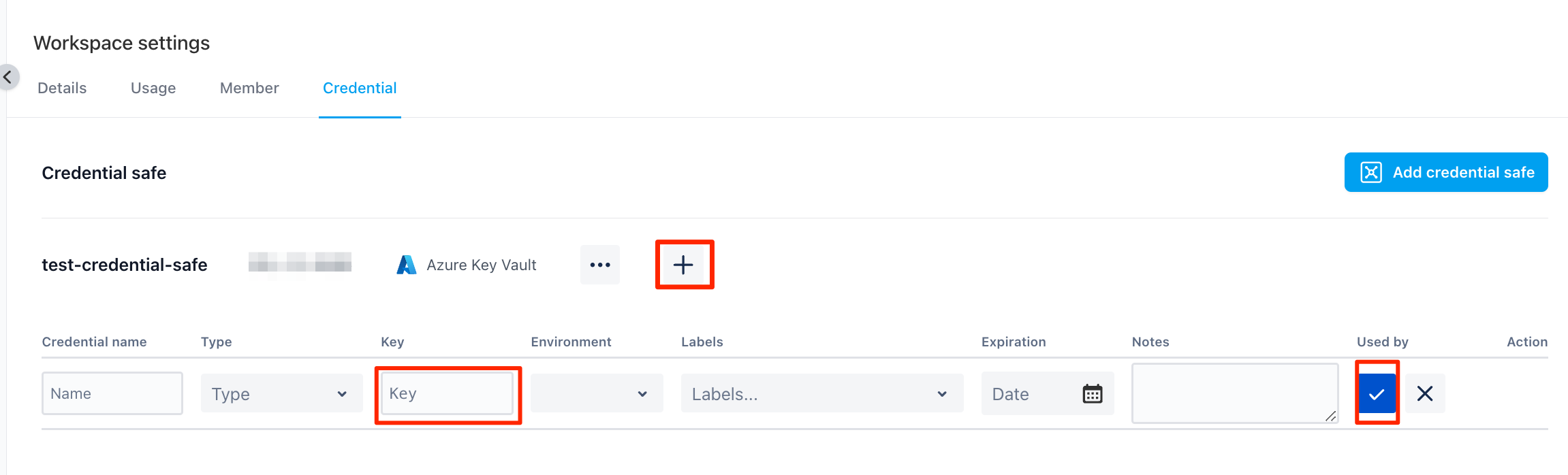
Click "+" to add the key name you will create in your Credential Safe.
Credential name, it is a display name for the credential key nameType, it is the credential type(key/secret/certificate)Key, it is the credential key name. it MUST be same as the Key (client-secret) your created in the step of "Add credential in your credential store".
Edit Credential Key
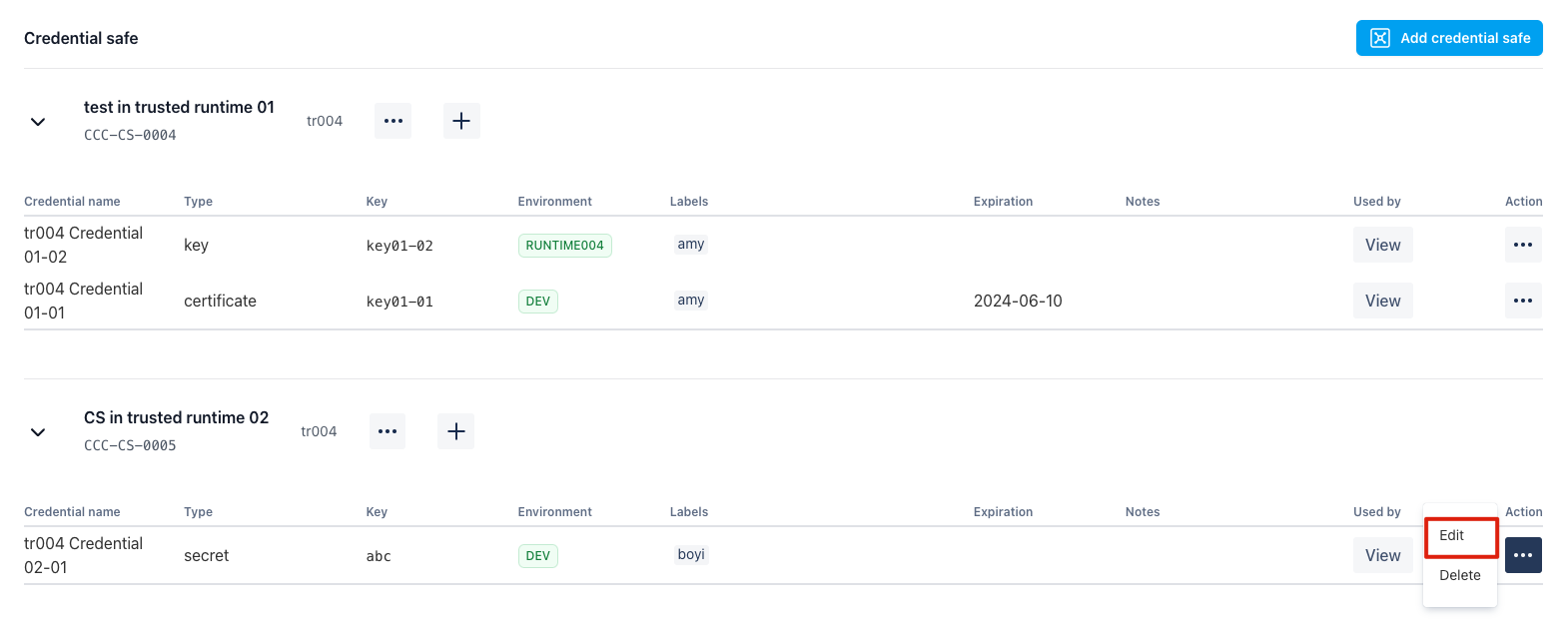
By click the "edit" button, you may edit the credential key information:
Delete Credential Key
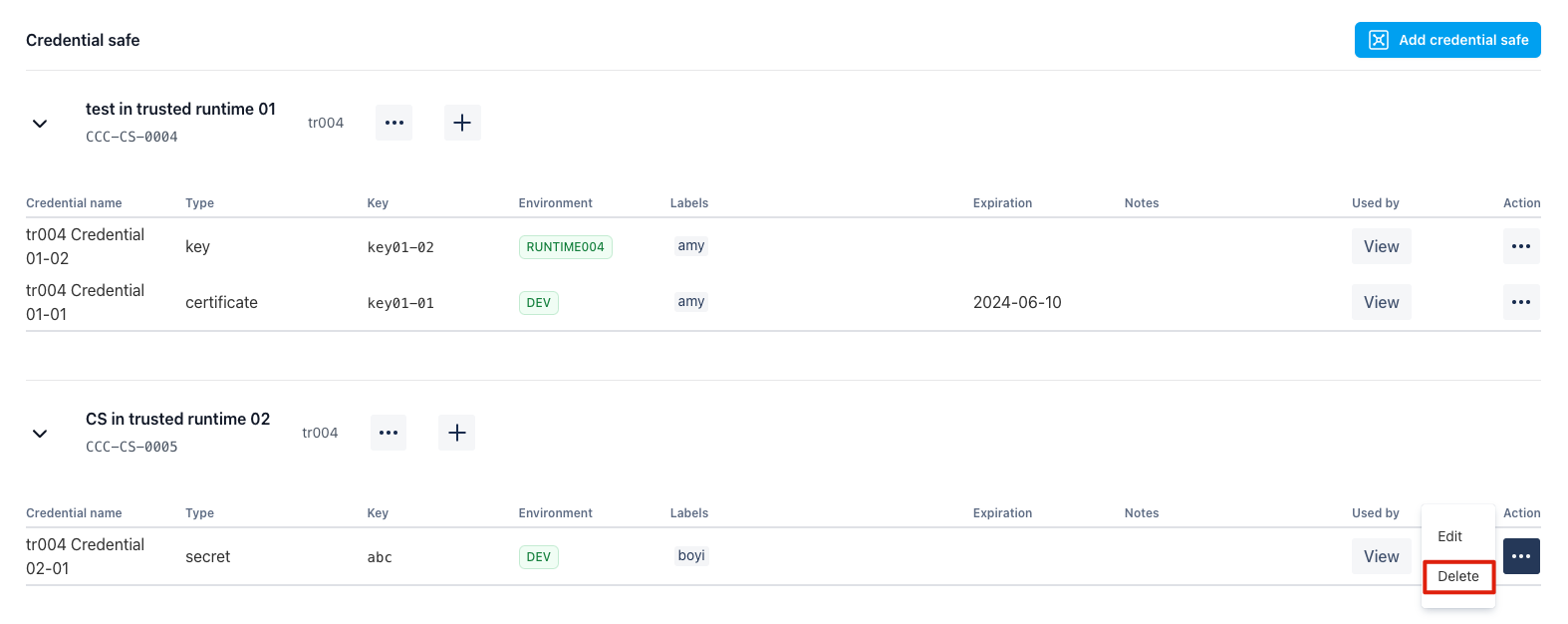
By click the "delete" button, you may delete the credential key you've picked. Please note the test cases which has referenced this Credential Key will be impacted immediately.
Next Steps
After setting up the Credential Safe and Credential Keys, developers usually use them in one of these ways:
- Add a
Secretrow under Environment variables in the test case and reference the credential there. - Use Bulk Manage Test Cases to append or replace
Secretreferences in batches. - Call the Testany Secrets Service API in the test code to retrieve the actual value at runtime.
See Protect the credentials used in testing for the detailed workflow.
Still have questions?
Our team is here to help. Get in touch and we'll get back to you as soon as possible.