
Import from Git V2: Manage GitHub Connections and Repository Access
1. What Connection Management does
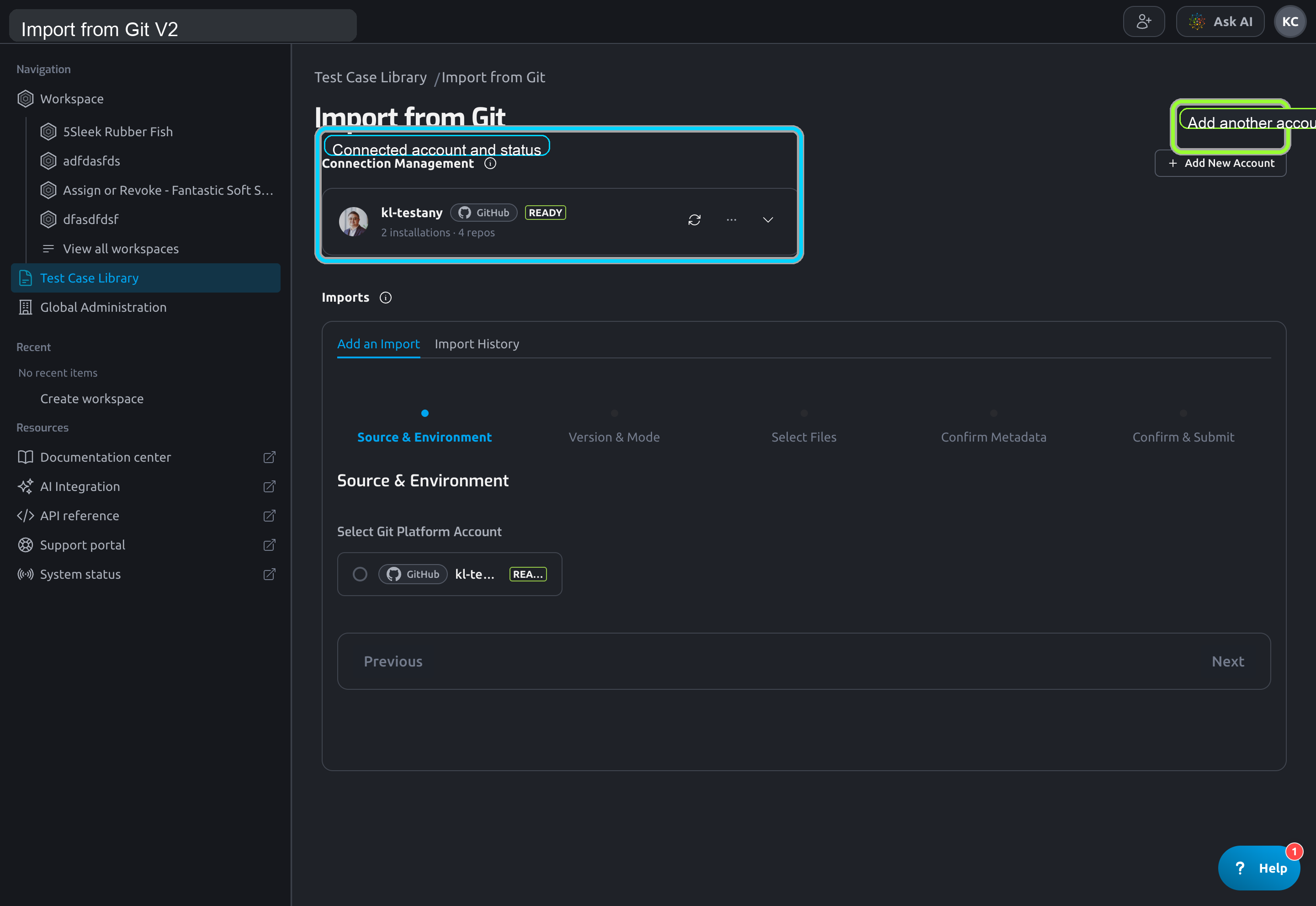
Connection Management is the control plane for V2 access.
Use it to:
- connect GitHub accounts
- review each connected account status
- manage repository access per GitHub App installation
- refresh repository scope after GitHub-side changes
2. The two-step access model
V2 does not work like a single credential paste flow.
To make a repository importable, two different things must both be ready:
- The GitHub account must be connected in Testany.
Testany Git Connectormust have repository access on the repository owner.
That is why you can see an account card in Testany but still be unable to see any repository in the wizard.
3. Connect a GitHub account
To connect a new GitHub account:
- Open
Connection Management. - Click
Connect GitHuborAdd New Account. - Complete the GitHub authorization popup.
After a successful callback, Testany either:
- creates a new connection
- or reuses an existing connection for the same GitHub account
4. Understand installations and repository scope
One connected GitHub account can surface multiple repository owners.
For example:
- your personal account
- one or more GitHub organizations
Each owner appears as a separate installation binding with its own repository scope.
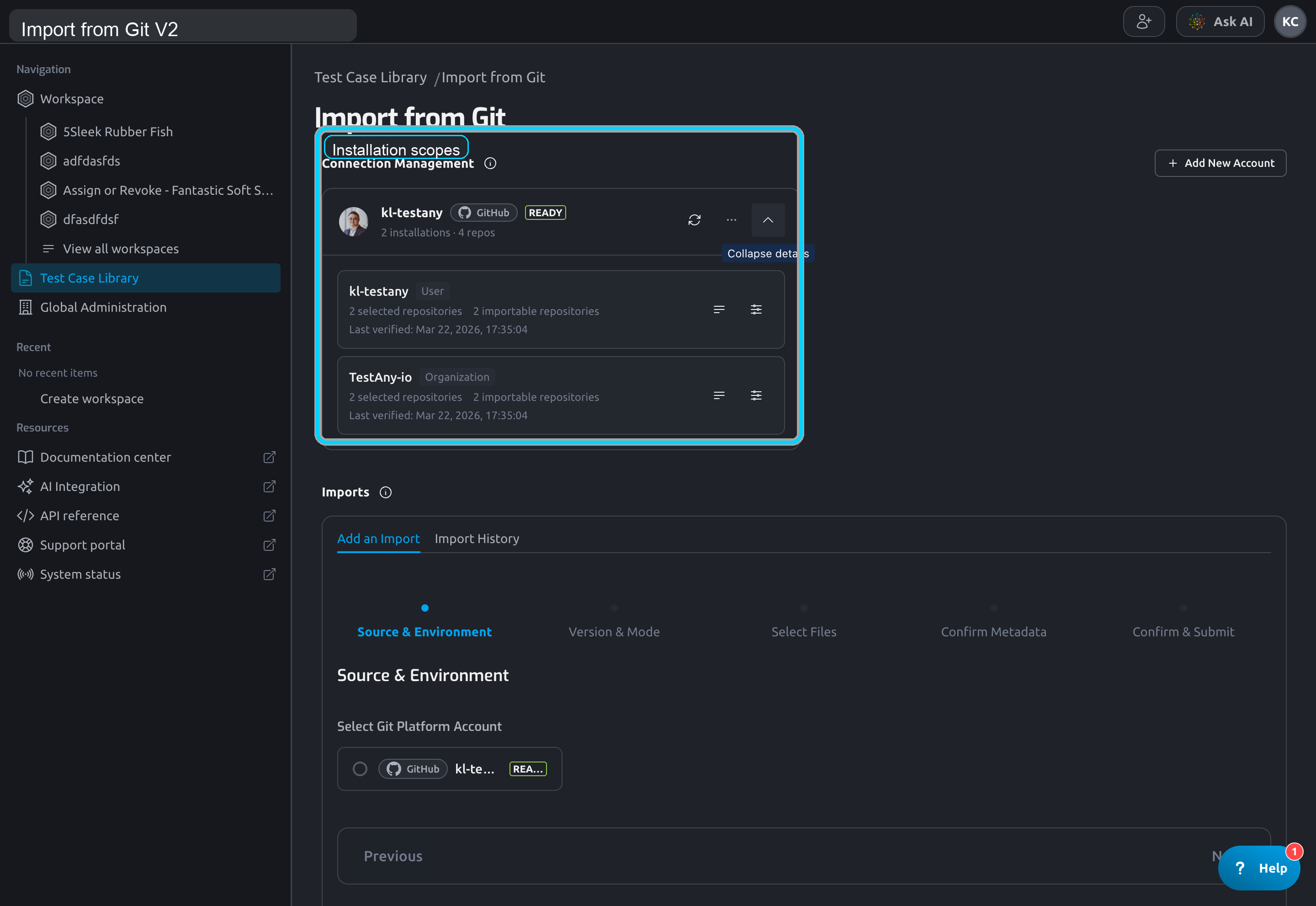
The UI shows details such as:
- installation owner
- selected repository count
- currently importable repository count
- last verified time
5. What the statuses mean
| Status | Meaning | What to do next |
|---|---|---|
Ready | Account is connected and repository scope is ready | Continue to the import wizard |
Needs GitHub App Access | GitHub account is connected, but the owner has not granted usable App access yet | Open Manage Repository Access or contact someone who can manage that repository scope |
GitHub App Scope Empty | App scope exists, but no importable repository is exposed yet | Add the target repository in GitHub, then refresh scope |
App Access Changed | GitHub-side repository access changed after the last snapshot | Refresh scope first, then verify the repository again |
Reconnect Required | GitHub account authorization expired | Reconnect the GitHub account |
Needs Install | The App installation itself is incomplete | Complete the installation in GitHub |
6. Use the main actions correctly
6.1 Manage Repository Access
Manage Repository Access opens the GitHub-side entry for the selected owner.
Use it when:
- the repository owner has not installed the App yet
- the App is installed, but the target repository is not included
- you need to review which repositories are selected
6.2 Refresh GitHub App Scope
After changing repository scope in GitHub, return to Testany and click Refresh GitHub App Scope.
This tells Testany to rebuild the scope snapshot it uses for repository discovery.
If you skip this step, Testany can still show the old scope result.
6.3 Reconnect GitHub Account
Use Reconnect GitHub Account when the account authorization expired or when Testany tells you the connection must be reauthorized.
7. Personal account vs organization owner
The operational rule is different depending on who owns the repository:
Personal account
- The user who owns that GitHub account can usually manage the App access directly.
Organization
- A target repository can usually be added into scope in two ways:
- a GitHub organization admin updates the selected repositories in the organization installation
- an admin of the target repository adds that repository from the repository side
If the repository belongs to an organization and you are neither an organization admin nor an admin of the target repository, do not keep retrying inside Testany. Ask someone who can manage that repository scope in GitHub first, then come back and refresh the scope.
8. Why a repository still does not appear
If the repository dropdown is empty, check these conditions in order:
- The correct GitHub account is connected.
- The correct installation was selected in the wizard.
- The repository is included in that installation's GitHub App scope.
Refresh GitHub App Scopehas been run after the latest GitHub-side change.- The connection is not in
Reconnect Required.
9. Related tasks
After the connection is ready, continue with:
Still have questions?
Our team is here to help. Get in touch and we'll get back to you as soon as possible.