
Manage Test Trigger Methods - Manual Trigger
Overview
Manual Trigger lets you run one or more test pipelines on demand, without waiting for a schedule (Plan) or an external webhook (Gatekeeper).
Use it when you need fast, controlled reruns in real operational scenarios, such as:
- validate a hotfix before release
- rerun a known workflow after environment recovery
- execute a standard multi-pipeline verification checklist
Key Concepts
| Concept | What it means |
|---|---|
| Manual Trigger Key | Unique key of a Manual Trigger, format M-{workspace_key}-{4~5 uppercase hex} |
| Trigger ID | The trigger object ID. For Manual Trigger, it is M-{workspace_key}-{4~5 uppercase hex} |
| Trigger Instance ID | Sequence ID of one run under the same Trigger ID (for example 00007) |
| Manual Trigger Owner | The user who can edit/delete this Manual Trigger |
| Manual Trigger Executor | The user who actually clicks Run for a trigger instance |
| Trigger Instance | One execution event under the same Manual Trigger key (for example M-WKS-00001-00007) |
Before You Start
Make sure you already have:
- a target workspace
- at least one runnable test pipeline
- permission to create/edit Manual Triggers in that workspace
Create a Manual Trigger
-
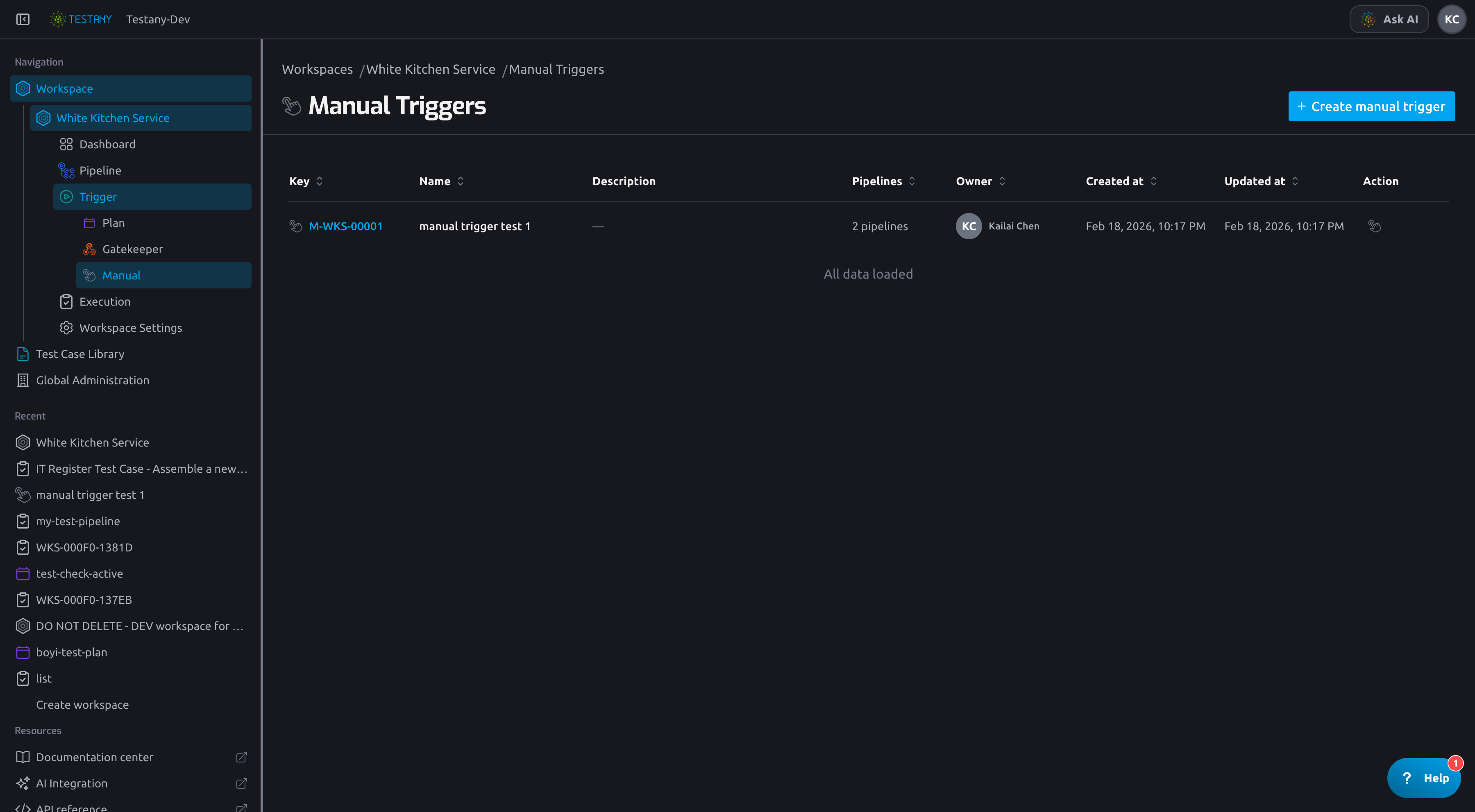
Open your workspace, then go to Trigger -> Manual Trigger.
-
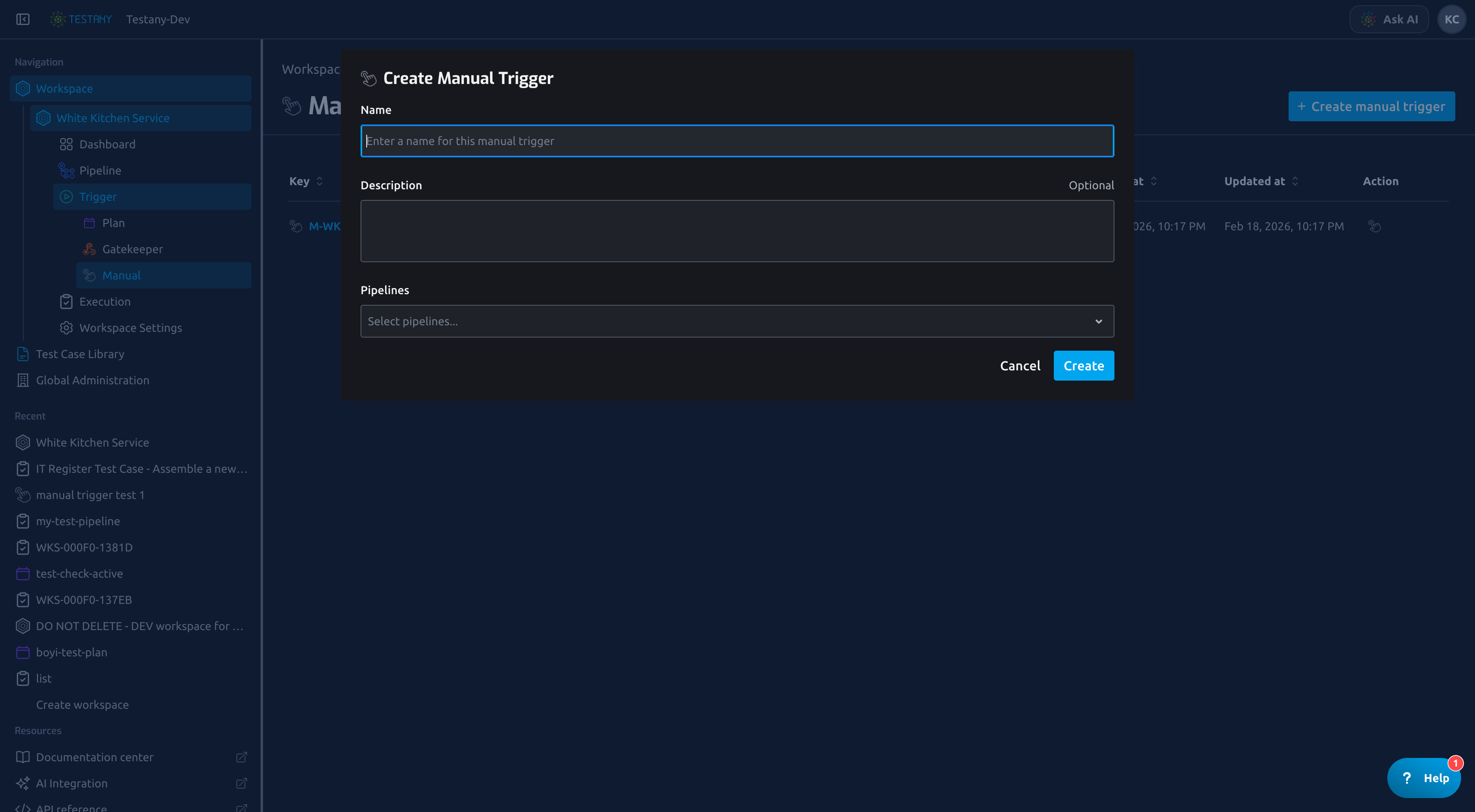
Click Create Manual Trigger.
-
Fill in:
- Name (required)
- Description (optional)
- Pipelines (one or multiple)
-
Click Create.
Manage a Manual Trigger
After creation, open the detail page to maintain configuration.
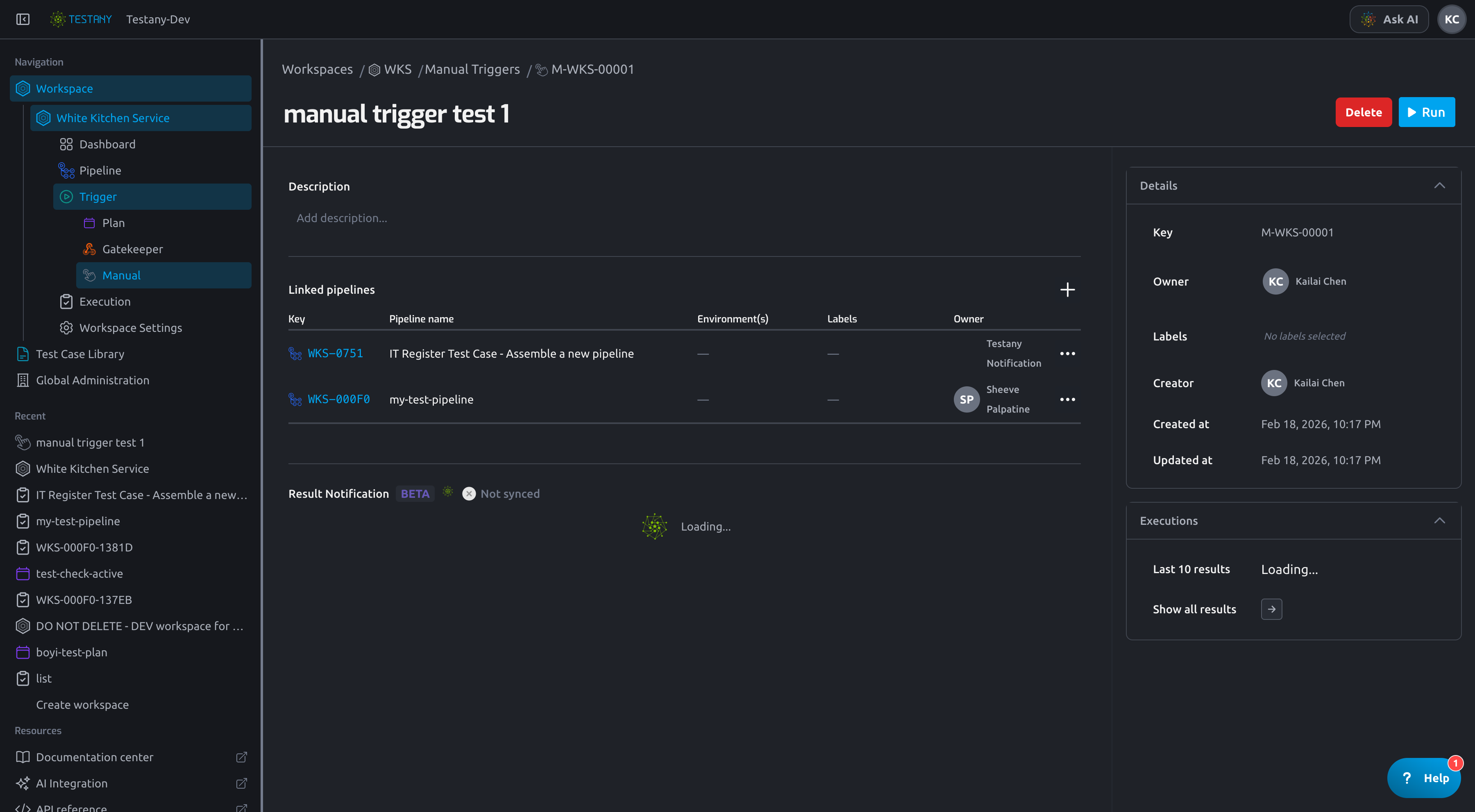
You can manage:
- name and description
- bound pipeline set
- owner and labels
- result notification settings
A Manual Trigger can run multiple pipelines in one action. If one pipeline is invalid or has no executable definition, that pipeline run may become skipped while other pipelines still execute.
Run a Manual Trigger
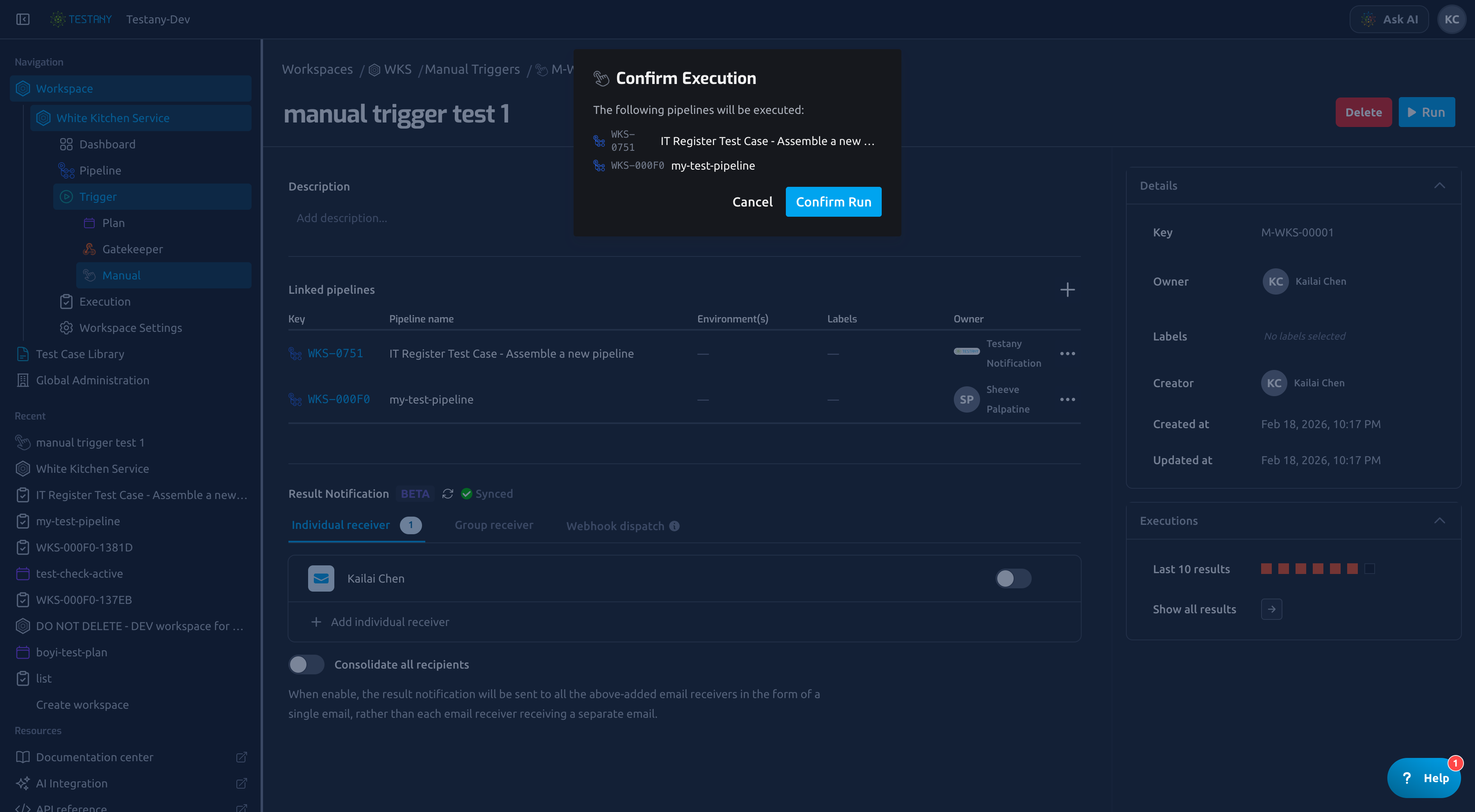
- Click Run on list or detail page.
- Confirm the pipeline list in the dialog.
- Click Confirm Run.
Check Execution Results
You have two common views:
- Detail page: latest 10 trigger instances
- Execution page: full history with filters (
triggered_byandtrigger_source=manual_trigger)
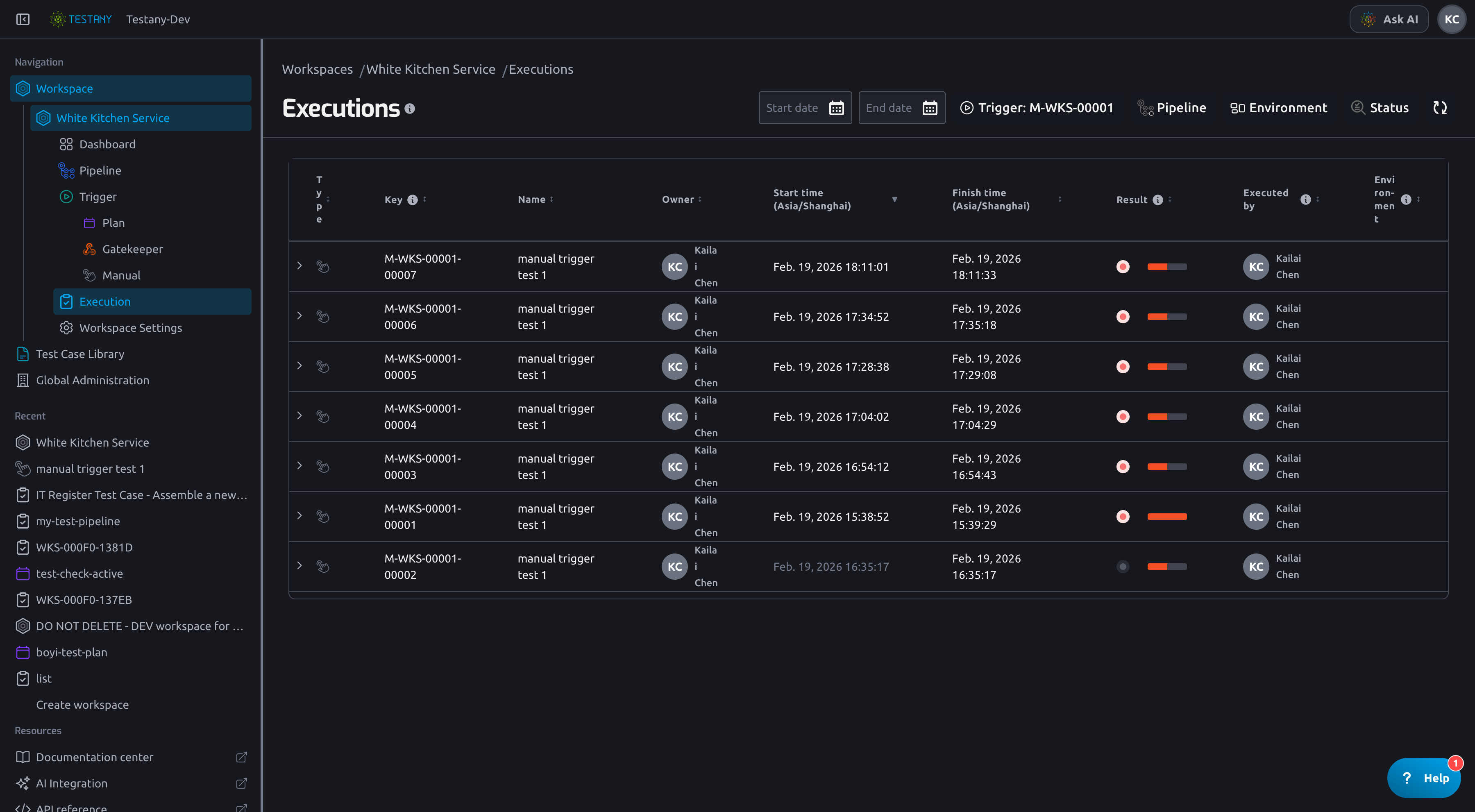
You can expand a trigger instance to inspect pipeline-level executions and status breakdown.
Owner vs Executor
Manual Trigger Owner and Manual Trigger Executor are different roles:
- Owner: resource owner of the Manual Trigger template (maintenance authority).
- Executor: operator who starts a specific run.
So one trigger instance can be executed by a different user than the template owner.
Related Guides
Still have questions?
Our team is here to help. Get in touch and we'll get back to you as soon as possible.