
Managing Test Case with Relay Case
Overview:
Reusing case executions is highly valuable in pipeline orchestration. The output of certain cases can serve as input for other cases, facilitating better orchestration during pipeline execution.
Understanding Relay Case
Relay case: "Relay" is an attribute of a test case. A test case with this attribute can pass the value of its pre-declared variable(s) as input to other cases within the same pipeline upon its execution completion. Relay Cases facilitate data transmission and sharing, ensuring that dependencies between test cases are properly managed, thereby enhancing the automation and efficiency of the testing process.
Manage Relay Case
Setting a Case as a Relay Case in a Test Case
To designate your case as a relay case, ensure that both the Testany Platform and your test code recognize the environment variable you are using. This requires configuration in two areas::
- On the Testany Platform
- In your test code
Config on the Testany Platform
Set the environment variable key as the relay key, which can be used in pipeline orchestration.
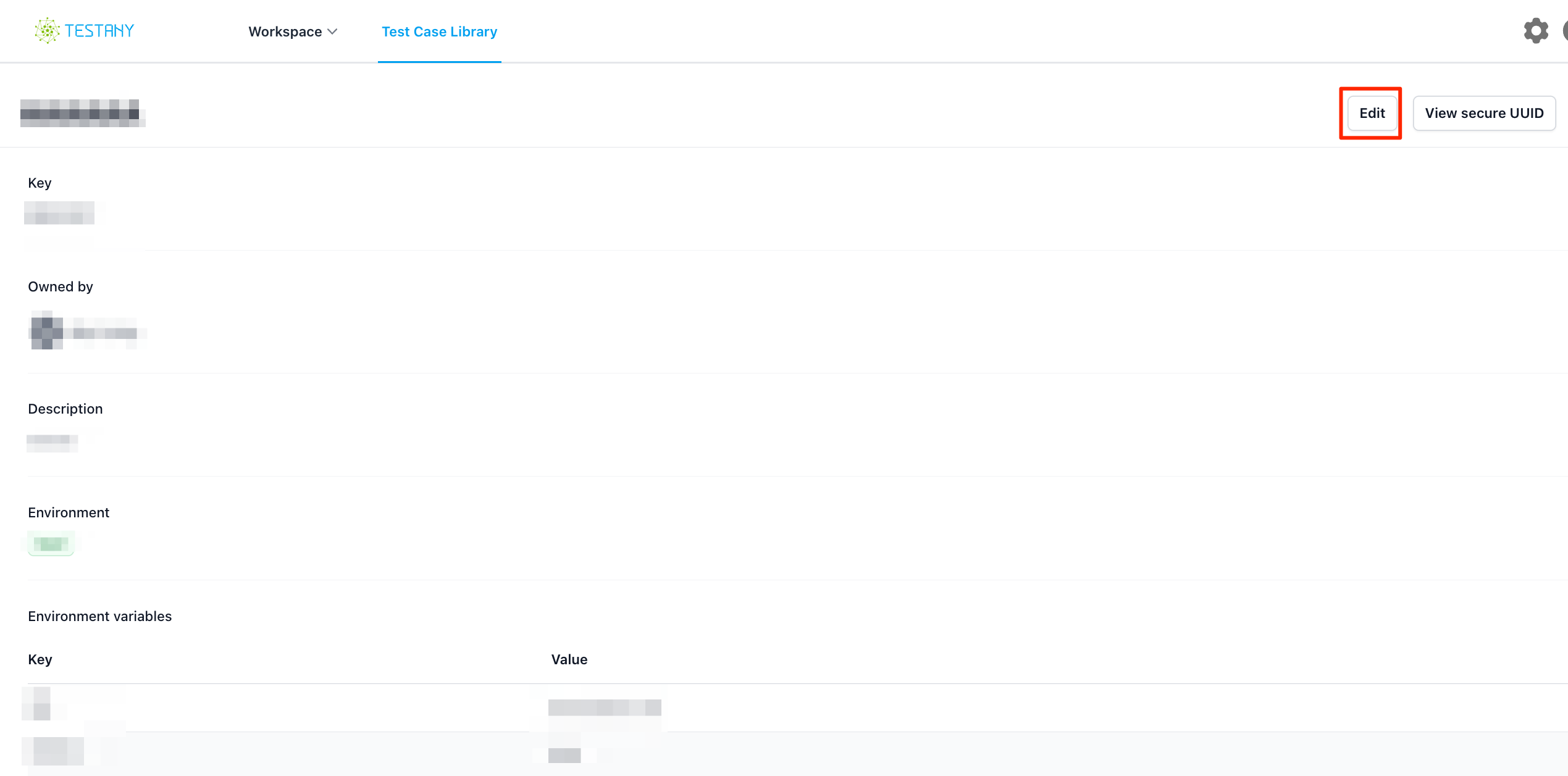
Go to test case detail page, click edit
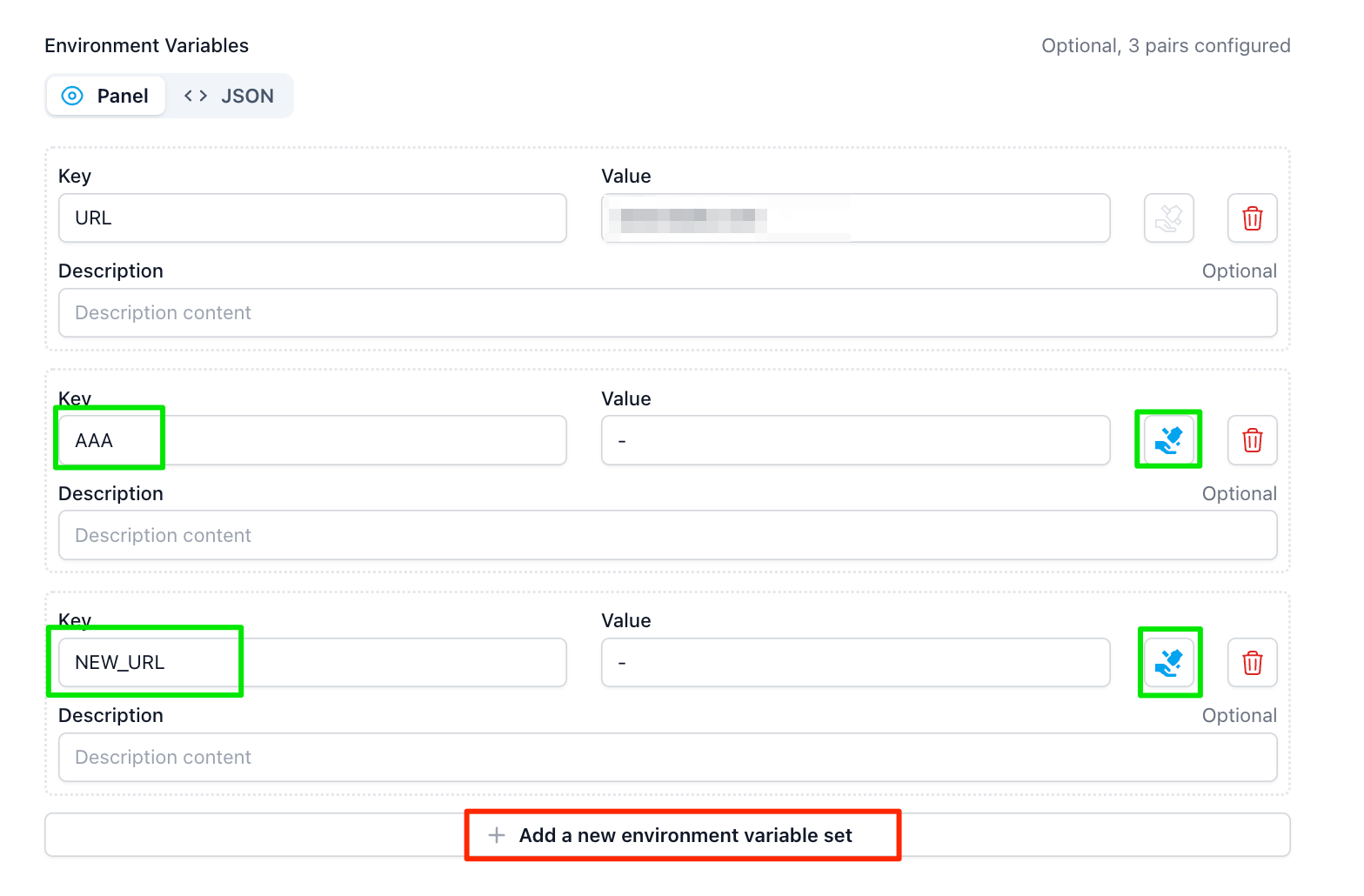
Click "Add a new environment variable set," and enter the KEY name you wish to use as the relay key. The KEY name must match the key you set in your code. You can configure multiple keys as relay keys. (In this example, set AAA and NEW_URL as the relay keys.)
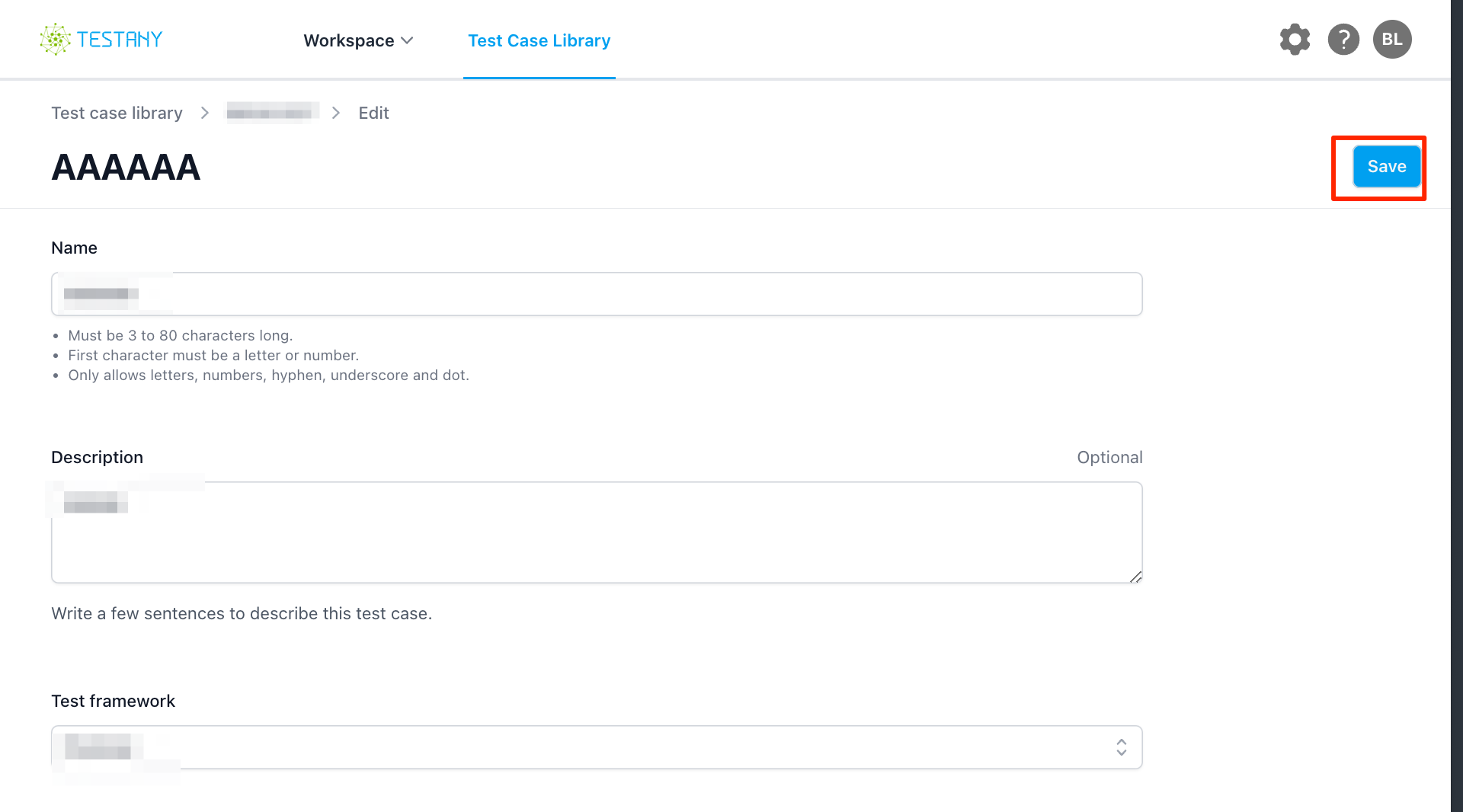
Click the "Save" button, and the AAA and NEW_URL environment variables will be available for use in pipeline orchestration.
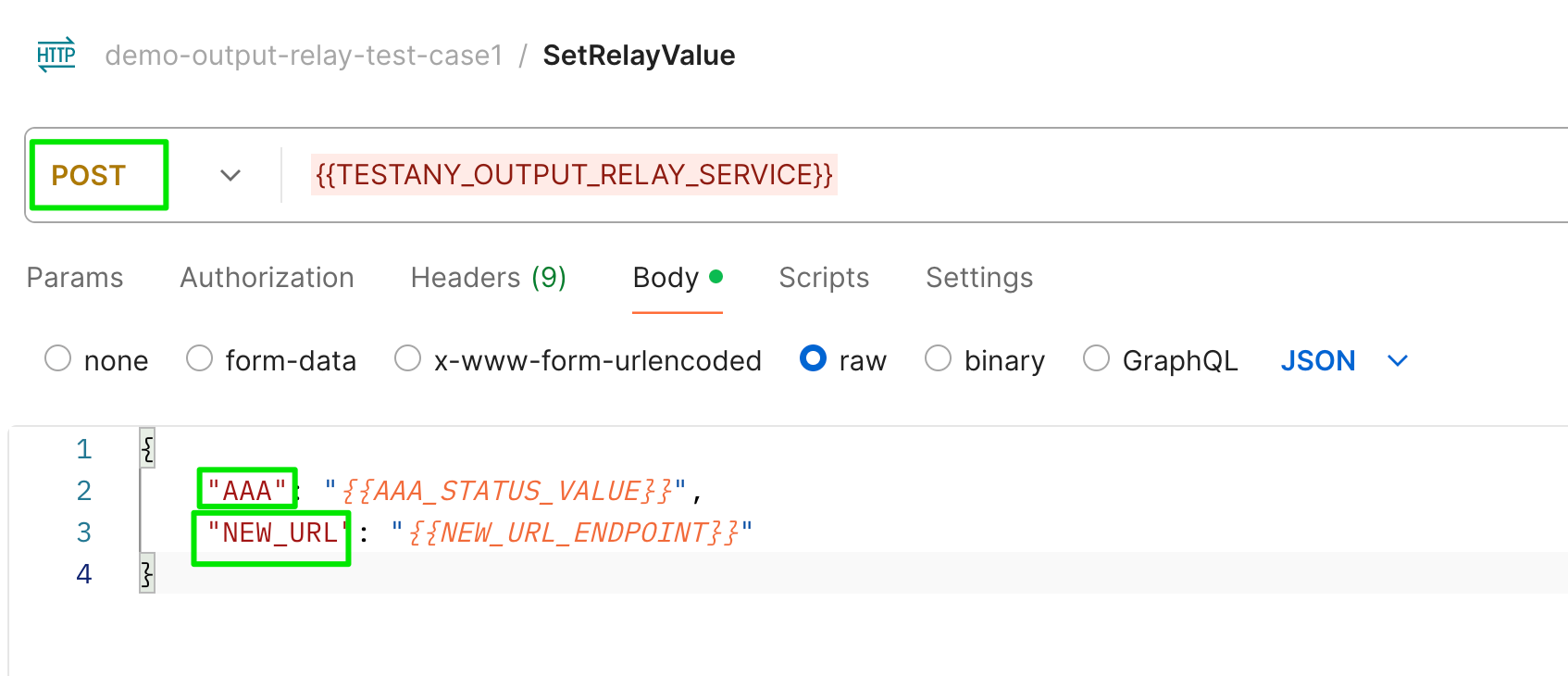
Add code to your test script
In your test case, use the environment variable TESTANY_OUTPUT_RELAY_SERVICE to set your output as the relay key.
Sample Code
Below are examples for different test frameworks showing how to relay dynamic values produced during test execution.
Postman
In the Tests tab of your Postman request, send a POST request to relay the dynamic values:
JavaScript// Tests tab - relay dynamic values from API response const response = pm.response.json(); // Send dynamic values to relay service pm.sendRequest({ url: pm.environment.get('TESTANY_OUTPUT_RELAY_SERVICE'), method: 'POST', header: { 'Content-Type': 'application/json' }, body: { mode: 'raw', raw: JSON.stringify({ ORDER_ID: response.order_id, // Dynamic value from response CREATED_AT: response.created_at // Dynamic value from response }) } });
curl
Bash# Relay dynamic values using curl curl -X POST ${TESTANY_OUTPUT_RELAY_SERVICE} \ -H "Content-Type: application/json" \ -d '{"ORDER_ID": "'"${ORDER_ID}"'", "STATUS": "'"${STATUS}"'"}'
Python
Output Case - Relay dynamic values produced during execution:
Pythonimport os import requests class TestCreateOrder: def test_create_order(self): # Call API and get dynamic response response = requests.post('https://api.example.com/orders', json={ 'product': 'laptop', 'quantity': 1 }) assert response.status_code == 201 # Extract dynamic values from response data = response.json() order_id = data['order_id'] # e.g., "ORD-20240129-8A3F" created_at = data['created_at'] # e.g., "2024-01-29T10:30:00Z" # Relay dynamic values to downstream cases relay_service = os.environ.get('TESTANY_OUTPUT_RELAY_SERVICE') requests.post(relay_service, json={ 'ORDER_ID': order_id, 'CREATED_AT': created_at })
Input Case - Use relayed values from upstream case:
Pythonimport os import requests class TestGetOrder: def test_get_order_details(self): # Get relayed value from environment variable order_id = os.environ.get('ORDER_ID') # Use the dynamic value response = requests.get(f'https://api.example.com/orders/{order_id}') assert response.status_code == 200
Playwright
Output Case - Relay dynamic values from browser interaction:
TypeScriptimport { test, expect } from '@playwright/test'; import axios from 'axios'; test('create order and relay order ID', async ({ page }) => { await page.goto('https://example.com/checkout'); // Fill form and submit await page.fill('#product', 'laptop'); await page.fill('#quantity', '1'); // Capture API response const [response] = await Promise.all([ page.waitForResponse('**/api/orders'), page.click('#submit-order') ]); const data = await response.json(); const orderId = data.order_id; // Relay dynamic value const relayService = process.env.TESTANY_OUTPUT_RELAY_SERVICE; await axios.post(relayService, { ORDER_ID: orderId, CONFIRMATION_NUMBER: data.confirmation_number }); });
Input Case - Use relayed values:
TypeScriptimport { test, expect } from '@playwright/test'; test('verify order details', async ({ page }) => { // Get relayed value from environment const orderId = process.env.ORDER_ID; await page.goto(`https://example.com/orders/${orderId}`); await expect(page.locator('.order-status')).toBeVisible(); });
Java (JUnit/TestNG)
Output Case - Relay dynamic values:
Javaimport org.junit.jupiter.api.Test; import java.net.http.HttpClient; import java.net.http.HttpRequest; import java.net.http.HttpResponse; import java.net.URI; public class CreateOrderTest { @Test public void testCreateOrder() throws Exception { HttpClient client = HttpClient.newHttpClient(); // Call API to create order HttpRequest createRequest = HttpRequest.newBuilder() .uri(URI.create("https://api.example.com/orders")) .header("Content-Type", "application/json") .POST(HttpRequest.BodyPublishers.ofString( "{\"product\": \"laptop\", \"quantity\": 1}")) .build(); HttpResponse<String> response = client.send(createRequest, HttpResponse.BodyHandlers.ofString()); // Parse dynamic values from response (using a JSON library) String orderId = parseOrderId(response.body()); String status = parseStatus(response.body()); // Relay dynamic values String relayService = System.getenv("TESTANY_OUTPUT_RELAY_SERVICE"); HttpRequest relayRequest = HttpRequest.newBuilder() .uri(URI.create(relayService)) .header("Content-Type", "application/json") .POST(HttpRequest.BodyPublishers.ofString( String.format("{\"ORDER_ID\": \"%s\", \"STATUS\": \"%s\"}", orderId, status))) .build(); client.send(relayRequest, HttpResponse.BodyHandlers.ofString()); } }
Input Case - Use relayed values:
Javaimport org.junit.jupiter.api.Test; import static org.junit.jupiter.api.Assertions.*; public class GetOrderTest { @Test public void testGetOrderDetails() throws Exception { // Get relayed value from environment String orderId = System.getenv("ORDER_ID"); // Use the dynamic value in test HttpClient client = HttpClient.newHttpClient(); HttpRequest request = HttpRequest.newBuilder() .uri(URI.create("https://api.example.com/orders/" + orderId)) .GET() .build(); HttpResponse<String> response = client.send(request, HttpResponse.BodyHandlers.ofString()); assertEquals(200, response.statusCode()); } }
JMeter
Output Case - Use JSR223 PostProcessor to relay dynamic values:
- Add a JSR223 PostProcessor after your HTTP Request sampler
- Select groovy as the language
- Add the following script:
Groovyimport groovy.json.JsonSlurper import groovy.json.JsonOutput // Parse response to get dynamic values def jsonSlurper = new JsonSlurper() def response = jsonSlurper.parseText(prev.getResponseDataAsString()) def orderId = response.order_id def status = response.status // Relay dynamic values def relayService = vars.get("TESTANY_OUTPUT_RELAY_SERVICE") def relayData = JsonOutput.toJson([ ORDER_ID: orderId, STATUS: status ]) def connection = new URL(relayService).openConnection() connection.setRequestMethod("POST") connection.setDoOutput(true) connection.setRequestProperty("Content-Type", "application/json") connection.outputStream.write(relayData.getBytes("UTF-8")) connection.inputStream.text // Execute request
Input Case - Relayed values are automatically available as JMeter variables:
# In your HTTP Request sampler, use the relayed value:
https://api.example.com/orders/${ORDER_ID}
Attached Examples
Attached test case with relay case example: postman-with-relay-case.zip
×
Still have questions?
Our team is here to help. Get in touch and we'll get back to you as soon as possible.